SAKAI integration manual for the Sferyx JSyndrome HTML Editor Applet Edition
1. Can the Sferyx HTML Editor Applet Edition and the Sferyx Equation Editor be integrated into the entire SAKAI system?Yes, both editors are fully integrated - there is a special Sferyx JSyndrome HTMLEditor Applet+EquationEditor bundle and the major part of the Sakai users are this product. We have created it upon request from the Sakai community and it integrates seamlessly with the system - this way out of the box there are both advanced HTML and Equation editing capabilities for the entire system. The Sferyx JSyndrome HTMLEditor Applet+EquationEditor is already integrated with the Melete Lesson Builder out of the box, and this manual explains integration into the entire SAKAI system and all its modules. We have also provided the new Flow toolbar layout especially to be able to accommodate the editor into all small form spaces inside the SAKAI modules. The installation is very simple and
does not require even a single line of code on your side and
consists of simply replacing the FCKEditor files with the ones
here provided into the "InstantSferyx for Sakai" integration
package. In order to proceed with the installation follow the
steps bellow: |


2. How can I integrate the editor into the SAKAI system?The installation is very simple and does
not require even a single line of code on your side and consists of
simply replacing the FCKEditor files with the ones here provided. Follow
the steps bellow: 3. How to configure the file uploads for the Sferyx JSyndrome HTML Editor Applet Edition within the SAKAI system?Note on the file Uploads: To install the SferyxUploadConnector you will need to copy the class file into your Sakai installation at the following location: "sakai-install/webapps/sakai-fck-connector/WEB-INF/ classes/org/sakaiproject/connector/sferyx/SferyxUploadConnector.class" where "sakai-install" - is the root Sakai installation folder. The full classname of the connector is org.sakaiproject.connector.sferyx.SferyxUploadConnector and you will need to modify the web.xml file in order to add the servlet entry for the SferyxUploadConnector. The file in question is: "sakai-install/webapps/sakai-fck-connector/WEB-INF/web.xml" You need to add (simply copy&paste) the following lines to it: <filter-mapping> <servlet> After doing this you are ready and you will need either to reload the /sakai-fck-connector application from the Tomcat manager or to restart the Sakai instance. 4. How to enable the Sferyx JSyndrome HTMLEditor Applet within the Melete Lesson Builder for SAKAI?The Melete Lesson Builder comes already with integration package for Sferyx by default, you can enable it directly from the user preferences menu. There is no need to do anything else, it will work out of the box. 5. What advantages could bring the integration of the Sferyx HTMLEditor Applet, Equation Editor and PDFExport into the SAKAI system?In first place this way out of the box
there are delivered both advanced HTML and Equation editing capabilities for the
entire system combined with instant PDF generation capability.
Furthermore, the Sferyx HTMLEditor is capable of publishing many files
simultaneously which is very useful when for example is pasted a Word
document which contains many images and other external linked files.
This way only by submitting the form everything is sent to the server
and the entire document is published within seconds without the need the
user uploads all files separately, renaming them and linking them back
to the document. All this is done automatically by Sferyx, also it is
capable of generating unique image filenames in order to avoid name
collisions. This saves a lot of work both for the users and the
developers and gets the work done within seconds and if you add to the
whole this thing also the PDFExport it can generate on-the-fly PDF files
from the documents and publish them together with the HTML to the
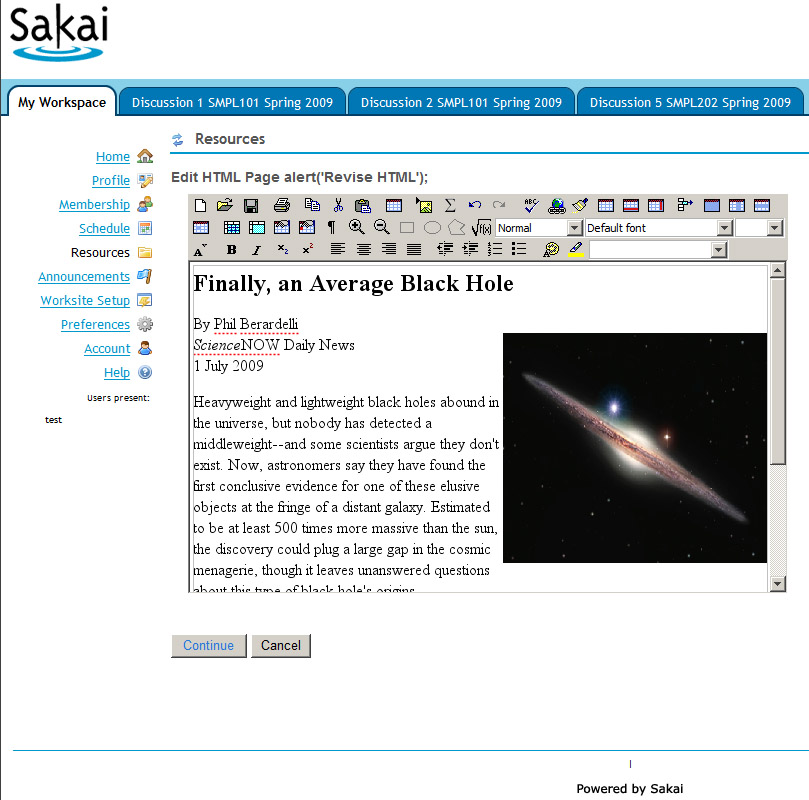
server. Sferyx HTML Editor Applet Edition + Equation Editor running inside a SAKAI instance: |
|
|
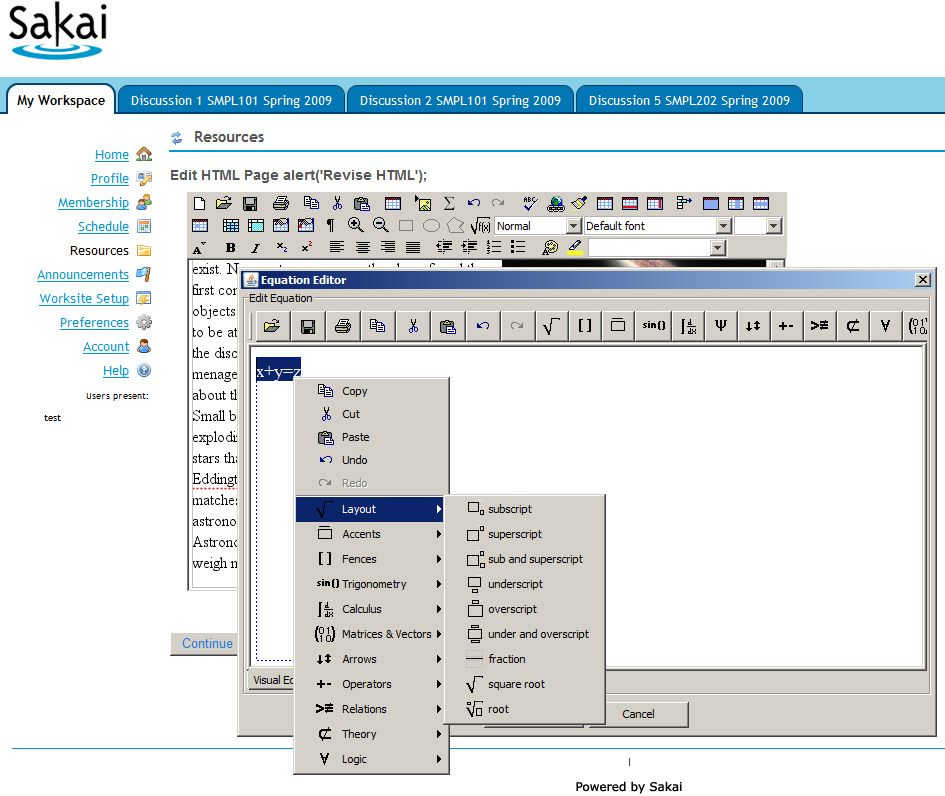
Sferyx HTML Editor Applet Edition + Equation Editor running inside a SAKAI instance: |
|
|
|
All Sferyx products are assured with continuous e-mail support. With the retail products is included in the price 30 days startup support. Additionally, you can purchase annual support subscription tickets from our web store. Sferyx offers also a wide range of customization services for its products in order to satisfy any customer requirement. We can adapt our products to fit the customer needs and any kind of integration requirements. We execute also express developments, customization under request, development of new features on demand. You can request a quote at sales@sferyx.com or support@sferyx.com indicating your requirements and the terms of delivery.
|