


What's new in version 22.0New features and fixes summary - changelog from 21.0 to 22.0 update
|
What's new in version 21.0
New features and fixes summary - changelog from 20.0 to 21.0
-
Reworked the CSS Engine - better standards support and more efficient rendering for complex document layouts.
-
Added support for the following conditional CSS selectors which can be used for dynamic document layout inside the editor, printing, PDF reporting etc:
element>element example div > p - Selects all <p> elements where the parent is a <div> element
element+element example div + p - Selects the first <p> element that are placed immediately after <div> elements
element1~element2 example p ~ ul - Selects every <ul> element that are preceded by a <p> element
[attribute] [target] - Selects all elements with a target attribute
[attribute=value] example [target=_blank] - Selects all elements with target="_blank"
[attribute~=value] example [title~=test] - Selects all elements with a title attribute containing the word "test"
[attribute|=value] example [lang|=en] - Selects all elements with a lang attribute value starting with "en"
[attribute^=value] example a[href^="https"] - Selects every <a> element whose href attribute value begins with "https"
[attribute$=value] example a[href$=".pdf"] - Selects every <a> element whose href attribute value ends with ".pdf"
[attribute*=value] example a[href*="test"] - Selects every <a> element whose href attribute value contains the substring "test"
:first-of-type example p:first-of-type - Selects every <p> element that is the first <p> element of its parent
:last-child example p:last-child - Selects every <p> element that is the last child of its parent
:last-of-type example p:last-of-type - Selects every <p> element that is the last <p> element of its parent
:nth-child(n) example p:nth-child(2) - Selects every <p> element that is the second child of its parent
:nth-last-child(n) example p:nth-last-child(2) - Selects every <p> element that is the second child of its parent, counting from the last child
:nth-last-of-type(n) example p:nth-last-of-type(2) - Selects every <p> element that is the second <p> element of its parent, counting from the last child
:nth-of-type(n) example p:nth-of-type(2) - Selects every <p> element that is the second <p> element of its parent
:only-of-type example p:only-of-type - Selects every <p> element that is the only <p> element of its parent
:only-child example p:only-child - Selects every <p> element that is the only child of its parent -
Overall improvements in performance and rendering - large document loading and editing - greatly improved rendering performance in all versions and JRE's
-
Improved pasting operations from MS Word - various fixes and performance gains. - now all margins are rendered correctly including those with negative values.
-
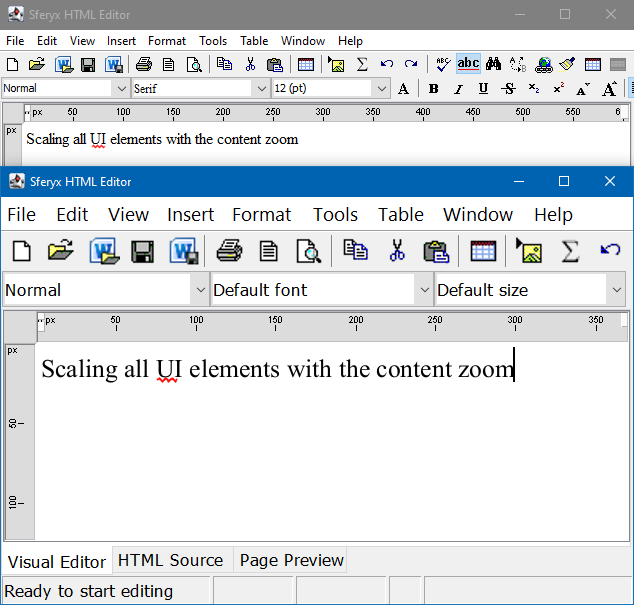
Added support for font scaling on Ultra High Definition 4K monitors - now the text inside the editor should be scaled accordingly as expected.
-
Improved DOCX export - improved table sizes and layout export - the document formatting and structure are exported as expected.
-
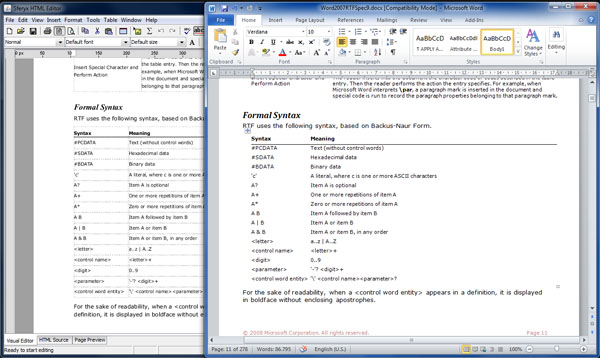
Improved DOCX import - improved overall docx import - now the table formatting is imported with greater accuracy.
-
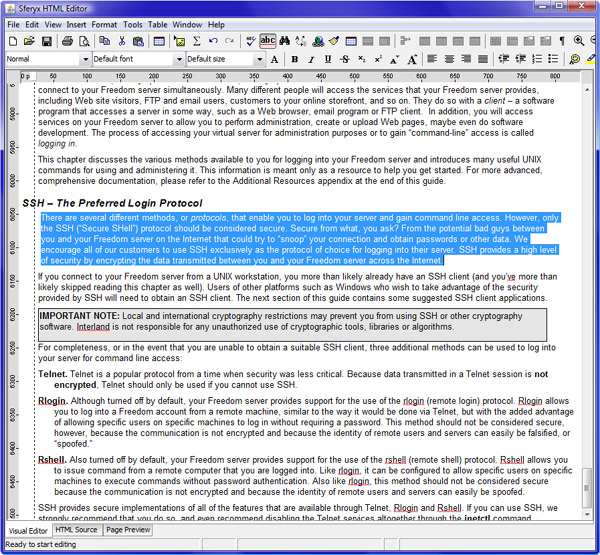
Improved ruler support for left and right margin and the first line indenting - now they reflect correctly the document structure and are positioned better after dragging and resizing the margins
-
New tooltips are appearing on mouse over for the ruler buttons to make it more clear what each button functionality is.an>
-
New list padding button on the ruler for visually adjusting the padding of the lists inside the document.
-
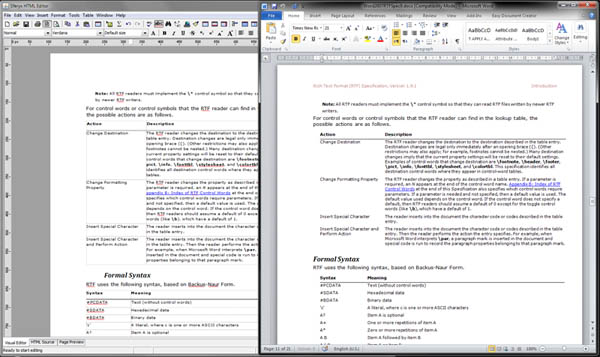
Improved the Page Layout View - various fixes and better paging
-
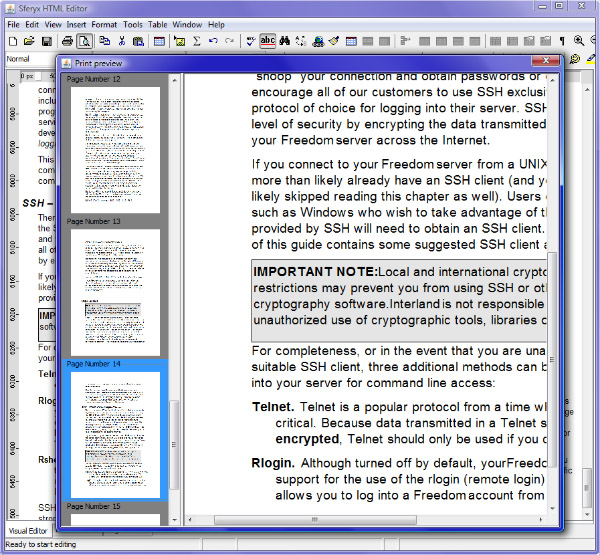
Improved Print Preview paging and performance - now the pages are rendered faster and with better accuracy.
-
Various fixes for handling of the read only elements inside the document
-
Various fixes and improvements in the PDFExport add-on - better page export accuracy and rendering both when all the fonts are embedded and with the standard fonts
-
Fixes for the PDFExport for MacOS X for the font folder locations and the font embedding
-
Now is possible to enable the automatic capitalization during typing for conversion of the first letter of each sentence automatically to upper case
-
New methods for enabling/disabling the automatic capitalization features:
public void setAutomaticCapitalization(boolean capitalization) - Enables the automatic capitalization during typing - that means the automatic conversion of the first letter of each sentence to upper case. By default it is disabled.
public boolean isAutomaticCapitalization() - Returns if is enabled the automatic capitalization during typing - that means the automatic conversion of the first letter of each sentence to upper case.
-
New method for retrieving the page layout state:
public boolean isPageLayoutView() - Returns whether page layout view is set or not
-
Various fixes and improvements for the Rich Text Format RTF import features - better rendering and handling of the RTF documents
-
Added support for rendering of Windows Meta Files (WMF) inside the docx documents and RTF documents.
-
Improved image scaling and rendering of the relative image sizes - now the images are loading faster and are sized according to the CSS specification when relative units are used.
-
Added support for handling embedded fonts inside the MS Word documents - now they will be properly used for rendering, printing and PDFExport.
-
Various fixes in the page scaling and page margins when using the PDFExport and scale to fit width is enabled.
-
Various fixes in the font sizes when using the PDFExport and the font embedding is not enabled
-
In the Visual Editor when transitioning to Page Layout View now the original fonts sizes are retained whithout scaling for better paging anf more accurate Print Preview and PDFExport
-
Improved table rendering with better borders and backgrounds painting and more efficient table layouts
-
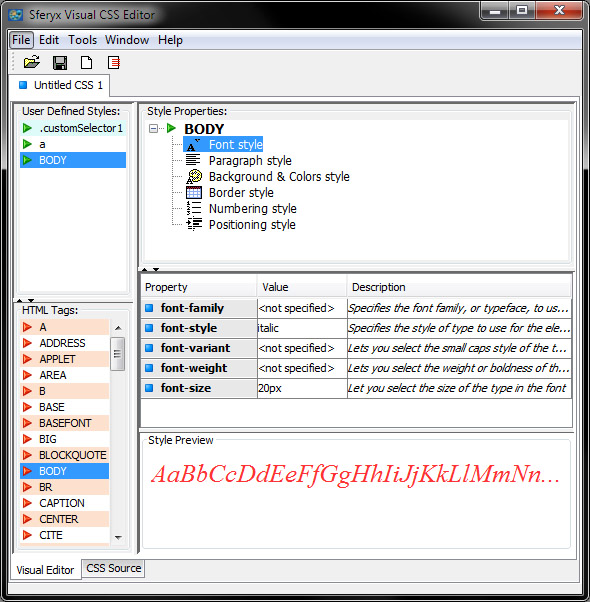
Various improvements in the CSSEditor component - improved style editing and preview
-
Better integration between the CSSEditor and the HTMLEditor, now can be defined easily custom styles for loading in the HTMLEditor and applying to the different document elements.
-
Improvements in the EquationEditor integration with the HTMLEditor - now the generated renderings of the equations in the Print Preview and the PDFExport are with higher qualit
-
Various fixes and enhancements in the editing of equations inside the HTMLEditor both in the inline mode and the Equation editing dialog
-
Added translation support for all dropdowns and lists in the various editor dialogs.
-
Improvements and fixes in the spellchecker for better performance and accuracy in the word matching.
-
Updated some spellchecker dictionaries, added new words and made various corrections in the dictionary formats and encodings.
What's new in version 20.0
New features and fixes summary - changelog from 19.0 to 20.0
1) Overall improvements in performance and rendering - large document loading and editing - greatly improved rendering performance in all versions and JRE's
2) Added full support for Java JRE/JDK versions 11 and 12 - improved support for Java versions 9,10, 11 and included support for the latest Java version 12.
3) Greatly improved the JavaFX intergration - resolved several issues with resizing of the component and consecutive repaint operations. Now everything is synchronized and rendering smoothly.
4) Greatly improved the Eclipse SWT integration - resolved different issues with flicker and repainting on resizing the component when embedded inside SWT applications.
5) Now the default L&F for the component's Eclipse SWT integration is the system L&F - when embedded inside SWT applications the component will start automatically with the default system L&F to better match the application's appearance.
6) Improved DOCX export - improved table sizes and layout export - the document formatting and structure are exported as expected.
7) Improved DOCX import - improved table layout import - now the table formatting is imported with greater accuracy.
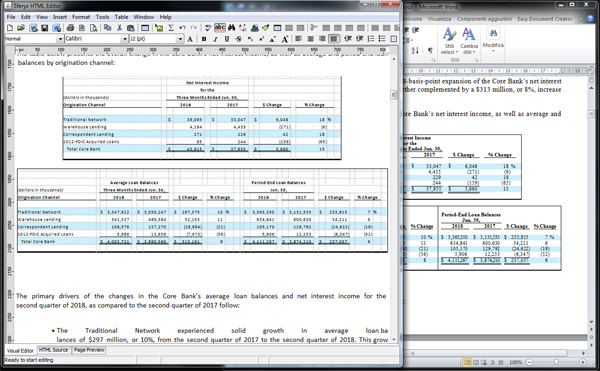
8) Improved DOCX import - improved lists and nested lists support - now the the various lists and nested lists are imported properly preserving the original document structure.
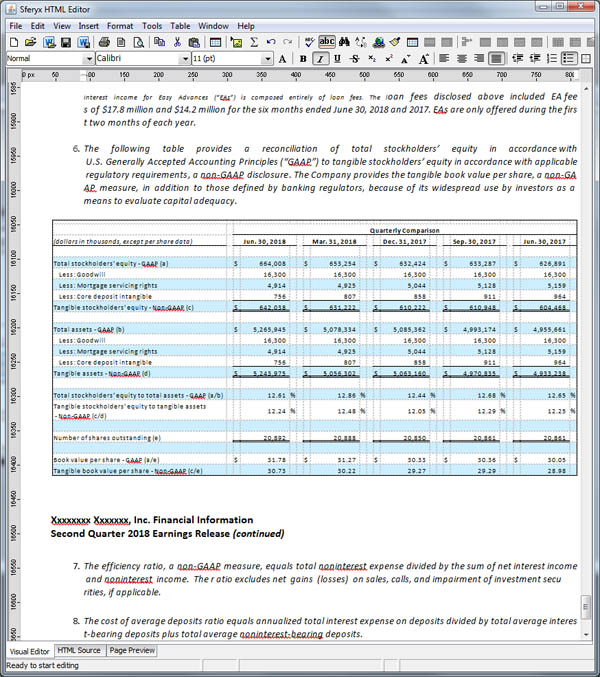
9) More efficient paste operations for large documents - optimized paste operations for large content - now the document conversion and rendering is happening much faster with bigger accuracy.
10) Various fixes in the text layout handling especially when negative text indenting is involved.
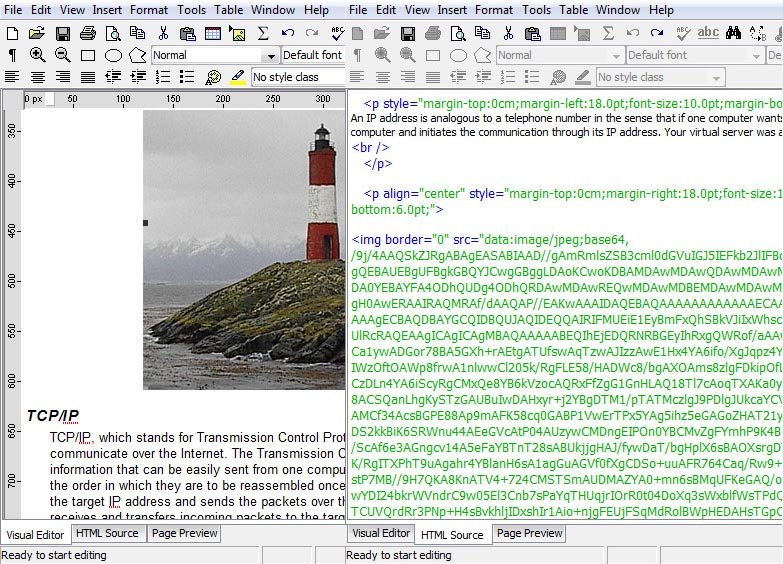
11) Optimized loading of files which contain large embedded base64 encoded images - now loading of files containing embedded base64 encoded images are loading much faster.
12) Optimized loading of large files over the network - new improved buffer algorithm for loading large remote files - now the loading and rendering is much faster.
13) New methods for generation of automatically resampled base64 encoded images for the creation of smaller documents:
public void setResampleImagesBeforeBase64Encoding(boolean resample) - Specifies to whether resize the images automatically to their in-document size before encoding them to Base64 encoding when setEmbedAllImagesInsideTheDocument is true or keep the original image size - this can reduce the size of the document significantly.
isResampleImagesBeforeBase64Encoding() - Returns if the automatic resize of the images is set or not.
14) New methods for customizing the default table attributes when inserting new tables via the toolbar and the menus:
public void setDefaultTableAttributes(java.lang.String attributes) - This method specifies the default table attributes to be used when designing the table from the design table toolbar item. The format of the parameter is plain html like htmlEditor.setDefaultTableAttributes("width=\"700px\" border=2"); To reset to the default behavior simply set to null
public java.lang.String getDefaultTableAttributes() - This method returns the default table attributes to be used when designing the table from the design table toolbar item. The default is null and the standard attributes will be used
15) Improved the support for custom XML tags - now is possible to manipulate also custom XML tags through the following methods which have been improved and optimized for such cases:
public void setInnerHTML(javax.swing.text.Element elem, java.lang.String htmlContent) - Inserts the specified HTML string inside the given element - this method will replace the content of the element with the specified HTML string. This is not applicable to leaf elements.
public void setOuterHTML(javax.swing.text.Element elem, java.lang.String htmlContent) - Inserts the specified HTML string in the place of the given element - this method will wrap the HTML string around the element and will replace it.
public void insertAfterEnd(javax.swing.text.Element elem, java.lang.String htmlString) - Inserts the specified HTML string after the the end of the given element.
public void insertBeforeEnd(javax.swing.text.Element elem, java.lang.String htmlString) - Inserts the specified HTML string before the the end of the given element. This is not applicable to leaf elements.
public void insertBeforeStart(javax.swing.text.Element elem, java.lang.String htmlString) - Inserts the specified HTML string before the the start of the given element.
public void insertAfterStart(javax.swing.text.Element elem, java.lang.String htmlString) -Inserts the specified HTML string after the the start of the given element. This is not applicable to leaf elements.
16) Improved the support for HTML 5 tags such as sections and similar - now you can use section tags within the document as any other and also manipulate such document elements through the above mentioned methods.
17) New shortcut methods for retrieving of the caret position between the different editors like visual, source and preview:
public int getCaretPosition() - Returns the caret position of the currently active editor component like visual editor, source or preview.
public void setCaretPosition(int caretPos) - Sets the caret position of the currently active editor component like visual editor, source or preview.
18) New shortcut method for retrieving the paragraph elements between the different editors like visual, source and preview:
public javax.swing.text.Element getParagraphElement(int position) - Returns the paragraph element at the specified position from the currently active visual editor or the preview. If the source editor is currently selected will return null.
19) New shortcut method for retrieving the character elements between the different editors like visual, source and preview:
public javax.swing.text.Element getCharacterElement(int position) - Returns the character element at the specified position from the currently active visual editor or the preview. If the source editor is currently selected will return null.
20) Improved spellchecking - optimized the matching algorithm generally and also for case sensitive languages as German and with compound words
21) Improved general spellchecking capabilities for large documents.
22) Improved font combobox selection when the user changes the caret position - now the editor reflects better the current fonts including external CSS declarations etc.
23) Various fixes related to the image "keep aspect ratio" selection - now when the user selects "keep aspect ratio" from the image properties dialog the images are scaled properly always.
24) Various fixes in the Hyperlink and Bookmark properties dialog - now when the document contains many bookmarks they are displayed properly inside the Bookmark properties dialog's visible space.
25) Fixes for the text layout with justified alignment containing different formatting - now the justified alignment works as expected.
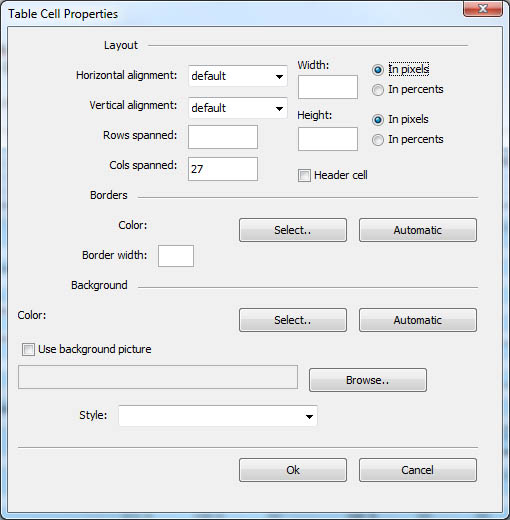
26) Now is possible to specify header cells through the Table cell properties dialog - there is a new "Header cell" checkbox which permits to specify whether a given cell is a header cell or not. This is particularly useful for environments where screen readers are used to read the formatted content through screen readers for accessibility reasons.
27) New methods for manual setting of page margins and page format in the HTMLEditorOracleBean for the OracleForms through PL/SQL:
public void setMarginsForStandardPageFormat(int top, int bottom, int left, int right) - Sets the margins in millimeters to be used for printing. You can refer to the method setStandardPageFormat for changing the page format or orientation
public void setStandardPageFormat(java.lang.String standardPageFormat, java.lang.String orientation) - Sets the page format from standard ones as A4, Letter, A3,A2,A1, A0. Further, you can specify the orientation as Portrait or Landscape.
28) Resolved issues with table layout rendering when multirow spans have the background specified in the row style definitions - now it is rendering correctly and is displaying both the background and the text.
29) Improved in-document navigation - now when setBrowsingInPreviewEnabled() is set to true, when the user clicks on a bookmark it will scroll to the specified location in the document.
30) Various fixes over the margin rulers - now they are updating properly in table design mode.
31) Better Equation Editor integration - improved integration between the HTMLEditor component and the EquationEditor component. Various fixes and improvements in the in-document equation editing for seamless user experience.
32) Added support for different positions and declarations for table captions - now is possible to specify the table caption position both as HTML attributes and CSS declarations.
Here is and illustration on the different ways to set the table caption position:
#example1 {
caption-side: bottom;
}
#example2 {
caption-side: top;
}
<caption id="example2">
<table id="example1">
<caption style="caption-side:bottom;">
<caption valign="bottom">
<caption align="top">
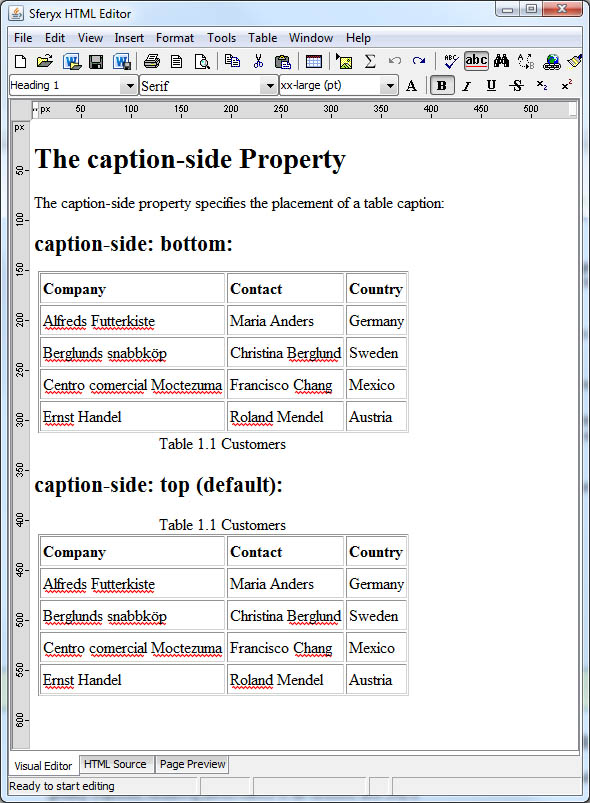
33) New entry on the Table properties dialog to specify the position of the table caption - now there are two radio buttons which permit to set easily the position of the table caption to top or bottom:
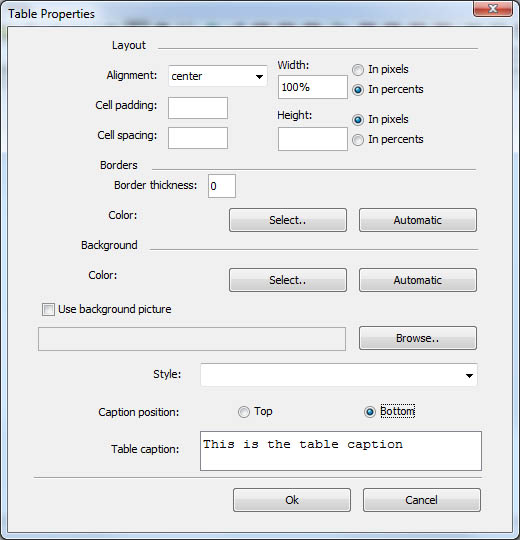
34) Improved table cell selection behavior when the table has a table caption - now the column selection will work as expected when hovering over the caption with the mouse.
35) Better support for absolutely positioned elements - now the various elements positioned in an absolute manner should be rendered correctly.
36) Fixed some issues with Insert symbol functionality relative to the inserted symbol's font
37) New method for opening DOCX files:
public void openDocxFile() - shows the file dialog specifically for MS Word .docx files and opens and imports the selected file into the editor for editing inside the HTMLEditor component.
38) Now the toolbar icon and the menu item for opening DOCX files will show the file dialog with file filter for DOCX files only for easier DOCX file selection and not like before when it was doubling the general open file functionality.
39) Improved table layout when relative table cell width values are used such as percentages - now all cells should be resized correctly according to the various width requirements.
What's new in version 19.0
New features and fixes summary - changelog from 18.0 to 19.0
1) Overall improvements in performance and rendering - large document loading and editing - greatly improved rendering performance in all versions and JRE's
2) Reworked rendering engine - many improvements and support for new css properties - greatly improved CSS support and rendering speed.
3) Implemented initial support for responsive CSS layouts through min-width, max-width and various @media queries, this will be improved in the subsequent updates.
4) Improved DOCX export - various formatting fixes, now the content is exported with better accuracy - the document formatting and structure are exported as expected.
5) Improved DOCX import - now the content is imported with better accuracy - now all document formatting and structure is imported as expected and ready for editing.
6) Improved RTF import - now the content is exported with better accuracy, better handling of table cell formatting and properties
7) Improved table resizing and various table operations - now when resizing tables containing column and row spans everything is resized and rendered as expected. Better support for pasted and imported content from MS Word and Excel.
8) Improved RTL languages handling and rendering - improved text layout and rendering of RTL documents - faster and more accurate import, improvements when RTL text is imported from DOCX documents.
9) Full support for JDK 1.9 -JDK 1.9 is now tested and supported, including support on HiDPI screens.
10) Support for HiDPI monitors on JRE and JDK prior to jdk 1.9 1.9 - implemented dialog scaling for the various dpi settings. Now the dialog components will scale properly when HiDPI monitors are used. There are available several new methods for enabling/disabling and controlling this behavior
11) Improved JavaFX integration - improved rendering and resizing of the editor inside JavaFX components when is used the HTMLEditorJavaFXWrapper for embedding the editor inside JavaFX applications.
12) Improved Oracle Forms integration - big improvements in the content transfer rates, faster loading and better performance.
13) Support for Oracle Forms 12c - included support for browserless integration in Oracle Forms through Java Web Start in existing forms applications.
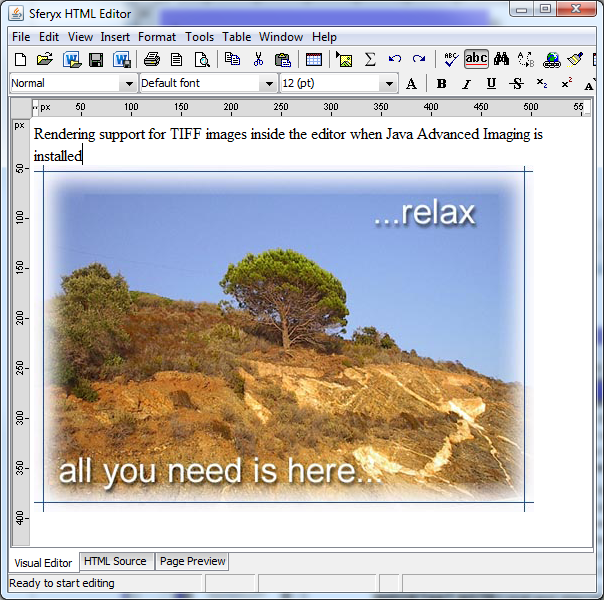
14) Support for displaying TIFF images when Java Advanced Imaging is installed. - now is possible to display and print TIFF images inside the editor when Java Advanced Imaging is installed - when the JAI is installed properly, the editor will detect it automatically and display the TIFF images as expected.
15) Now are available three different code generation scenarious for legacy systems and standards compliant - setForcedSpanGeneration, setForcedFontTagGeneration, setForcedCSSGeneration, setForceCSSOutput - this allows for flexible code generation, depending on the various integration scenarios and interaction between modern and legacy systems - see javadoc documentation for major details.
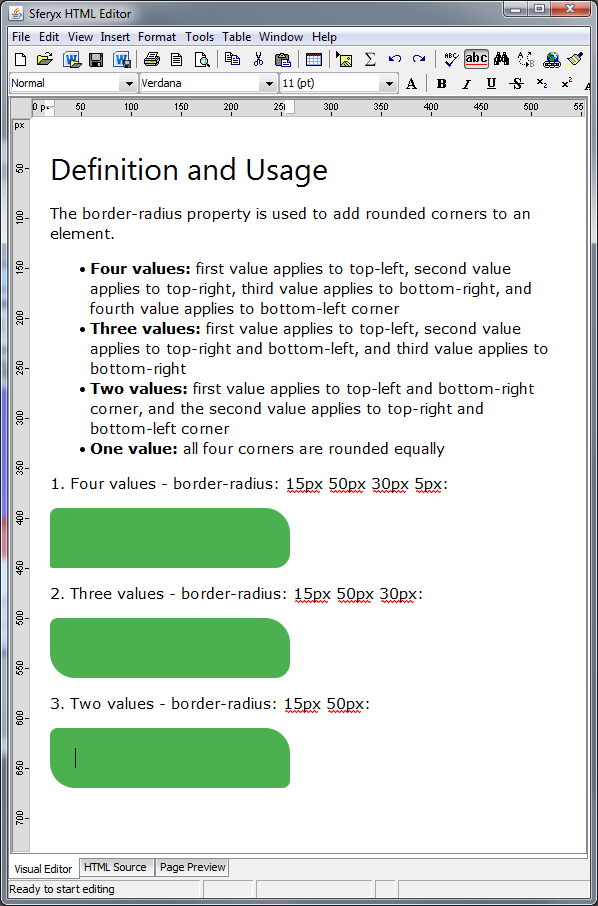
16) Support for CSS rounded corners implemented - now is possible to specify border radius for all section elements.
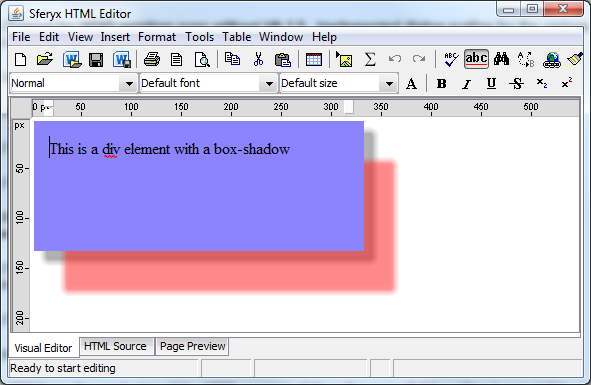
17) Support for CSS box shadows, including multiple shadow definitions - now is possible to specify box shadows for all section elements - it is possible to specify also multiple shadows for the same element.
18) Improved print preview and printing functionalities.
19) New methods for automation and generation of offline images:
public static void setRenderInvisibleContent(boolean render) - Will force the rendering of the HTML content of the editor even if the editor is not visible and not added to a container. Can be used for creating offscreen images or other automation tasks.
public static boolean isRenderInvisibleContent() - Returns if rendering of the HTML content of the edtor even if tbhe editor is not visible and not added to a container is enabled.
20) New methods for legacy code generation for better compatibility with legacy applications
public static void setForcedFontTagGeneration(boolean genFont) - This will force the editor to generate font tags rather than span tags.
public static boolean isForcedFontTagGeneration() - Returns true if the editor is forced to generate font tags rather than span tags.
21) Sets the automatic list conversion of the content pasted from MS Word - specifically MS list format - this is necessary because when copying and pasting content from MS Word the lists are exported as normal paragraphs and need to be explicitly detected and converted to lists.
public void setConvertAutomaticallyMSWordListsOnPaste(boolean convert) - if set to true the editor will detect and convert the MS formatting for lists which otherwise are pasted as normal paragraphs.The default value is false - this needs to be set to true to convert lists automatically.
public boolean isConvertAutomaticallyMSWordListsOnPaste() - returns if the automatic list conversion is enabled
22) New methods for specifying if local images should be loaded alwyas even if setDontLoadDocumentImages is set to true:
public void setLoadLocalImagesAlways(boolean loadImages) - Specifies to load always the local images in the document even if setDontLoadDocumentImages is set to true
public boolean isLoadLocalImagesAlways() - returns if the loading of local images is enabled always even if list conversion is enabled
23) New methods for improved editability of the documents:
public static void setInsertEditableSpace(boolean insertEd) - Enables/disables the automatic insertion of editable space between adjacent block elements where is difficult to place the cursor and insert text. The default is false
public static boolean isInsertEditableSpace() - returns if the automatic insertion of editable space between adjacent bloack elements is enabled
24) New methods for adjusting HiDPI scaling functionalities:
public void setAdjustScaleForHiDPI(boolean adjust) - Specifies whether to enforce scaling on HiDPI monitors to make the dialogs usable. The default is true
public boolean isAdjustScaleForHiDPI() - Returns whether is set to enforce scaling on HiDPI monitors to make the dialogs usable. The default is set to true.
25) Improved browsing functionalities when setBrowsingInPreview is enabled - fixed behaviour in browsing history when the back button on the context menu is pressed.
26) Varios fixes when preview mode only is enabled - better content synchronization,
27) Improved table rendering - fixed various issues with table cell and row rendering, faster and more accurate layout, fixed issues with percentages in cell widths.
28) Various fixes in list operations, improved rendering of lists and RTL list orientation - now all list formatting is rendered properly also when the document orientation is set to RTL
29) Fixes in table cell merge operations - fixed issues and improved cell merge operations especially on multi cell column and row spans.
30) Fixes in table cell split operations - fixed issues and improved cell split operations especially on multi cell column and row spans.
31) Improved image loading and image caching - now images are loaded faster and are not reloaded anymore upon resize or page layout or print operations - this leads to better performance and more accurate page layout.
32) Faster printing and better paging operations - optimized the printing of large documents - now the page layout and the printing is faster and more accurate - resolved some issues with font sizes specified as percents and also some layout synchronization issues across page breaks.
33) Fix for JavaFX ALTGR key handling for keyboard layouts with ALTGR key combinations - now everything should work as expected
34) Improved MS Word Paste and rendering
35) Improved MS Excel compatibility of pasted content
36) Improved handling of visual indentation with rulers and first indent
37) Improved and fixed various issues in text editing operations when <br> is found in the start of the line.
38) Improved rendering of Form elements, better css support and rendering
39) Better CSS support for absolute positioned elements, now the support is standards compliant
40) New methods in the HTMLEditorOracleFormsBean class :
public void setConvertAutomaticallyMSWordListsOnPaste(boolean convert) - Sets the automatic conversion of the content pasted from MS Word - if set to true the editor will detect and convert the MS formatting for lists which otherwise are pasted as normal paragraphs.
public boolean isConvertAutomaticallyMSWordListsOnPaste() - Returns is the automatic list conversion is enabled.
public void setLoadLocalImagesAlways(boolean loadImages) - Specifies to load always the local images in the document even if setDontLoadDocumentImages is set to true
public boolean isLoadLocalImagesAlways() - Returns whether the loading always the local document images is set to true or not.
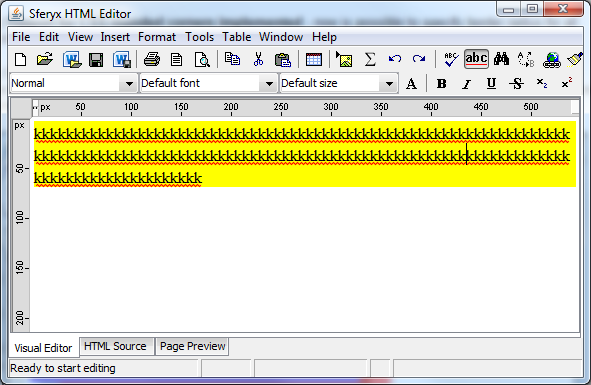
41) Implemented support for CSS properties word-wrap:break-word, word-break:break-all - now is possible to specify word wrapping mechanism and word breaking mechanism through CSS inside the document.
<html>
<head>
<style type="text/css">
div { word-break: break-all; word-wrap:break-word;background-color:yellow;}</style>
</head>
<body>
<div style="word-wrap:break-word;">
kkkkkkkkkkkkkkkkkkkkkkkkkkkkkkk
kkkkkkkkkkkkkkkkkkkkkkkkkkkkkk
kkkkkkkkkkkkkkkkkkkkkkkkkkkkkk
kkkkkkkkkkkkkkkkkkkkkkkkkkkkkkkk
kkkkkkkkkkkkkkkkkkkkkkkkkkkkkkkk
</div>
</body>
</html>
42) Implemented support for image width specified in % both through HTML and CSS attributes - now is possible to specify images which will resize accordingly based on the percentage size using CSS attributes.
43) Improved loading of external images asynchronously via setLoadDocumentImagesInASeparateThread now images are loaded faster and this does not impact resizing and copy paste operations - when set to true, the document loads faster and all images are loaded subsequently - resolved some issues when the images are resized or printed.
44) Updated the insert paragraph menu behaviour to insert paragraph when inside a list element - now the default behaviour is to interrupt the list and insert new paragraph inside.
What's new in version 18.0
New features and fixes summary - changelog from 17.0 to 18.0
1) Overall improvements in performance and rendering - large document loading and editing - greatly improved rendering performance in all versions and JRE's
2) New export as Ms Word Docx files - now is possible to export the entire content of the editor as a standard .Docx file including the full formatting and images.
3) Available new methods for docx export which simplifies the export process:
public boolean saveDocxFile() - Saves the entire content of the editor as MS Word Docx file - it will show a save file dialog to choose the save location
public void saveDocxFile(String file) - Saves the entire content of the editor as MS Word Docx file to the specified file
public void saveDocxFile(File file) - Saves the entire content of the editor as MS Word Docx file to the specified file
4) New export as e-mail .eml files - now is possible to export the entire content of the editor including all images as e-mail .eml file which can be opened with Outlook, Thunderbird and all other mail clients.
5) New methods for saving the content as e-mail .eml file:
public void saveAsEmailMessageFile(File f) - Saves the entire content of the editor as Multipart e-mail message .eml file including all the images embedded inside. It can be opened in email clients like Outlook, Thunderbird etc.
public boolean saveAsEmailMessageFile() - Opens a file dialog and saves the entire content of the editor as multipart e-mail mesaage file .eml - it will include also all images inside. It can be opened in email clients like Outlook, Thunderbird etc.
public void saveAsEmailMessageFile(String file) - Saves the entire content of the editor as multipart e-mail mesaage file .eml - it will include also all images inside. It can be opened in email clients like Outlook, Thunderbird etc.
6) New method for sending e-mails directly from the editor - Now is possible to send the entire content of the editor via e-mail instantly including all images and formatting with a single method call:
htmlEditor.sendEntireContentAsEmailMessage("smtp.your_host.com", 25, "info@some_host.com", "somebody@other_host.com", "Another info request");
The method definition is as follows:
public boolean sendEntireContentAsEmailMessage(String mailHost, int port, String from, String to, String subject) - Sends as an e-mail the entire content of the editor including all images, formatting etc. as multipart mime message via the given SMTP mail server and port using the "from" address as sender, "to" as recipient and "subject" as subject of the message. The message will be sent using the SMTP protocol and will return true if the e-mail has been sent successfully, false in case of error.
7) New toolbar buttons for opening and saving Docx files:
8) New menu items for opening and saving Docx files and saving .eml files:
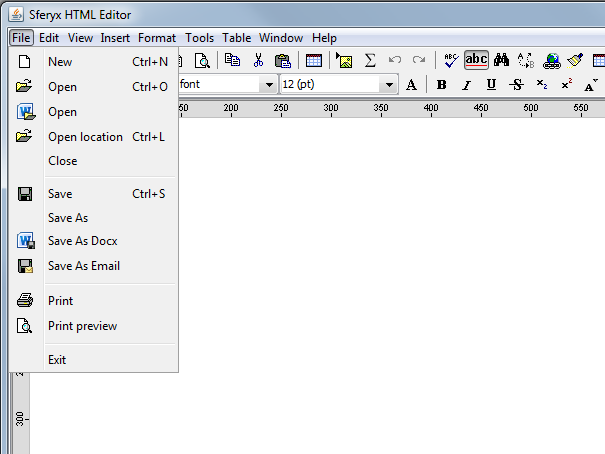
9) Various improvements in the printing - more accurate rendering and page layout during the print process
10) New method for retrieving the print process status:
public boolean isPrintingCancelled() - returns if the last print operation has been cancelled by the user
public void resetPrintingCancelled() - resets the last printing by the user status - see the isPrintingCancelled for more information
11) Various improvements in the handling of custom XML tags - better integration and rendering.
12) Now is plossible to set also custom rendering factory for the preview section also the same way as this is already available for the visual editor:
CustomPreviewHTMLEditorKit.setExternalHTMLFactoryClassName( myFactoryClassName ); - the method is static so it can be used directly - at this point you have to extend the sferyx.administration.editors. CustomPreviewHTMLEditorKit. CustomPreviewHTMLFactory like this:
public class HTMLFactoryX extends sferyx. administration.editors. CustomPreviewHTMLEditorKit.CustomPreviewHTMLFactory
In your factory class you can override the method public View create(Element elem) and generate your own rendering for the images.
13) Now the default behavior for resizing images has been changed to "keep aspect ratio" set to true. If you need to revert it back to the old one you can either resize the images by holding the Shift key or use the following method
htmlEditor.setResizeImagesAlwaysKeepAspectRatio(false);
14) New option in the image properties dialog for setting the "keep aspect ratio" while changing manually the size of the image:
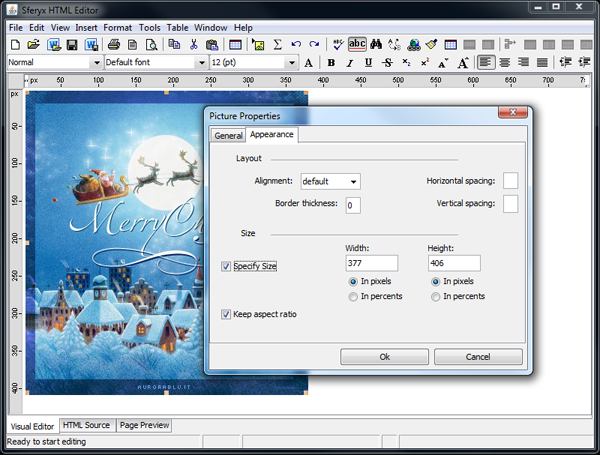
15) Improved Page Layout View - now all the pages including those with sizes bigger than the page size are rendered properly the same way they will be printed.
16) Improved docx file import - now most of the files are imported and rendered correctly - improved support for the various formatting options and styles handling.
17) New method for setting different labels on the different status bar sections:
public void setTextOnAdditionalStatusBarLabel(String text, int labelIndex) - Sets given text on given status bar label - the status bar is divided in several labels in which can be displayed various messages. The labels are with indexes 1,2,3 and 4 as they apear on the screen. Please note that this method is used for setting messages on the additional status bar labels, to set text on the main status bar label plase use the setStatusMessage() method.
18) Changed the default behavior for saving files - if no encoding is specified the files by default will be saved as UTF-8 encoding and this will be reflected in the page header. This affects the method saveFile and the various save items on the toolbar and the menu.
19) Improved list functionality for the wrapNewLineIntoBR mode when lists are inserted and created within paragraphs.
20) Various fixes for the print functionality when page numbers and headers are set
21) With this build is possible to activate also support for screen readers and particularly the JAWS interoperability. To do so you will need to enable the Java Access Bridge on the user's PC as follows:
The Java Access Bridge is automatically installed with the Java Runtime Environment 7u6 and later and is part of the JRE, but you must enable it manually. With older JRE versions it needs to be downloaded and installed separately.
On Windows Vista and later you can enable the Java Access Bridge using the "Ease of Access Center" found in the Windows Control Panel. This will enable the Bridge for all versions of JRE 7u6 or later that are installed.
Follow the steps below to enable the Access Bridge:
Open the Ease of Access Center by pressing Windows + U, or navigating to Start Menu -> Control Panel -> Ease of Access -> Ease of Access Center.
Click the link "Use a computer without a display".
In the "Other programs installed" section of the dialog, select the option "Enable Java Access Bridge".
Click Apply or OK to activate.
Note: The Access Bridge will be enabled for the current user only. To enable for other login accounts, repeat the above steps.
Once this is activated you can test the functionality of the editor with JAWS.
22) Introduced support for the CSS property word-wrap: break-word - now is possible to specify how long words should be handled inside the block tags such as <table> and <div>
23) Now is possible to specify the automatic conversion of the lists pasted from MS Word - currently this should be enabled explicitly like this:
HTMLEditor.convertAutomaticallyMSWordLists=true;
If set to true all the list paragraphs exported from Word when pasting into the editor will be automatically converted into HTML lists
24) Improved the selection of the text attributes on the toolbar - now the font size, font family and the other text properties are reflected the same way as they are rendered - this includes also the external styles sheet information etc. and is not based anymore simply on the element properties.
25) Improved the synchronization of the various methods for setting and getting content - now it is easier to use the set / get methods automatically independently of the execution thread.
26) New method for easier creating custom buttons and items outside the editor and its integration into existing environments:
public void executeHTMLEditorActionCommand(String actionCommand) - this allows to simulate button clicks and this way can be used to create your own buttons in the host application as they were editor's toolbar buttons. Here below is the list with commands which can be used:
"increase-indent" - increases the indent of the paragraph at the caret position
"decrease-indent" - decreases the indent of the paragraph at the caret position
"picture-properties" - shows the picture properties dialog box which allows change of the picture parameters at the caret position or does nothing if there is no picture.
"imagebutton-properties" - shows the image button form field properties dialog box which allows change of its parameters or does nothing if there is no image button.
"page-properties" - shows the page properties dialog box which allows change of the page parameters such as title, background etc.
"table-select" - selects the table at the caret position or does nothing if there is no table.
"table-row-select" - selects the table row at the caret position or does nothing if there is no table.
"design-table" - shows the design table popup of the toolbar.
"table-insert-row" - inserts new table row in the table at the caret position or does nothing if there is no table
"table-insert-column" - inserts new table column in the table at the caret position or does nothing if there is no table
"table-insert" - shows the insert table dialog which allows the selection of the number of rows and columns and inserts new table
"start-spellchecker" - starts the spellchecker and begins the check of the document.
"selectall-action" - selects the entire document.
"find-action" - shows the find/search dialog.
"replace-action" - shows the find/replace dialog.
"table-properties" - shows the table properties dialog which allows the customization of the table at the caret position or does nothing if there is no table
"cell-properties" - shows the table cell properties dialog which allows the customization of the selected table cells or does nothing if there is no table cells selected
"table-cell-merge" - merges the selected table cells and.
"table-cell-split" - splits the cell at the caret position into two cells horizontally.
"hyperlink-properties" - shows the hyperlink properties dialog and modifies or inserts new hyperlink on the selected text
"form-properties" - shows the form properties dialog for the form at the caret position or does nothing if there is no form.
"button-properties" - shows the button form field properties dialog for the form at the caret position or does nothing if there is no button form field.
"radiobutton-properties" - shows the radio button form field properties dialog for the form at the caret position or does nothing if there is no radio button form field.
"checkbox-properties" - shows the checkbox form field properties dialog for the form at the caret position or does nothing if there is no checkbox form field.
"textfield-properties" - shows the textfield form field properties dialog for the form at the caret position or does nothing if there is no textfield form field.
"textarea-properties" - shows the textarea form field properties dialog for the form at the caret position or does nothing if there is no textarea form field.
"selectfield-properties" - shows the select (dropdown menu or list) form field properties dialog for the form at the caret position or does nothing if there is no select (dropdown menu or list) form field.
"font-foreground" - sets the selected text's font foreground color visualizing the ColorChooser
"font-family" - sets the selected text's font family from the combobox on the toolbar
"font-size" - sets the font size
"insert-textfield" - inserts new textfield form field. If there is no form at the current caret position, creates new one.
"insert-textarea" - inserts new textarea form field. If there is no form at the current caret position, creates new one.
"insert-checkbox" - inserts new checkbox form field. If there is no form at the current caret position, creates new one.
"insert-radiobutton" - inserts new radiobutton form field. If there is no form at the current caret position, creates new one.
"insert-pushbutton" - inserts new pushbutton form field. If there is no form at the current caret position, creates new one.
"insert-select" - inserts new select (dropdown menu/list) form field. If there is no form at the current caret position, creates new one.
"insert-imagebutton" - inserts new imagebutton form field visualizing the file dialog to select the image URL. If there is no form at the current caret position, creates new one.
"insert-hr" - inserts new horizontal line <hr> at the caret position.
"insert-br" - inserts line break at the caret position.
"insert-p" - inserts new paragraph at the caret position.
"insert-space" - inserts white space at the caret position.
"insert-image" - inserts new image at the caret position, visualizing the file dialog.
"font-properties" - shows the font properties dialog.
"file-print" - shows the print dialog and prints out the current page.
"file-save" - saves the current page, visualizing the file dialog.
"file-open" - opens a new file showing the file dialog.
"location-open" - opens a new file (URL) showing open location dialog.
"file-new" - creates new empty file.
"file-exit" - exits from the editor, using System.exit() asking to save the changes
"help-about" - exits from the editor, using System.exit() asking to save the changes
"copy-action" - performs copy formatted text action and copies the selection as formatted paragraphs, ready to be pasted into tables.
"paste-action" - performs paste formatted text action.
"new-editor-window" - creates new editor frame
"text-uppercase" - convert text to uppercase
"text-lowercase" - convert text to lowercase
"text-titlecase" - convert text to title case
"text-sentencecase" - convert text to sentence case
"increase-font" - increase font size
"decrease-font" - descrease font size
"add-word-to-dictionary" - adds word to the custom dictionary
"edit-hotspot" - modifies image map hotspot
"image-map-rect" - inserts restangle image map hotspot
"image-map-circle" - inserts circle image map hotspot
"image-map-poly" - inserts polygon image map hotspot
"pdfexport" - exports document as PDF through the PDFExport plug-in
"zoomin-text" -increases the zoom of the page
"zoomout-text" - decreases the zoom of the page
"insert-equation" - inserts equation through the equation editor plug-in
"edit-equation" - edits equation through the equation editor plug-in
"strikethrough" - strikethough the selected text
"font-underline" - underline the selected text
"subscript" - converts text to subscript
"superscript" - converts text to superscript
"preview-go-backward" - go back on the preview pane
"preview-go-forward" - go forward on the preview pane
"show-paragraphs" - shows the paragraphs inside the document
"file-save-docx" - saves the content of the editor as MS Word Docx file.
"file-save-mail"- saves the content of the editor as standard e-mail format and creates .eml file which can be opened in MS Outlook, Thunderbird etc.
27) Various fixes for Mac OS X look and feel and improvements for the latest Mac OSX JRE update
28) Now is possible to also paste directly images and screenshots on Mac OS X
29) Improved interoperation in Oracle Forms environment - better content buffers support - faster and easier CLOB and BLOB operations.
30) New HTMLEditorOracleBean methods:
public boolean saveFile() - Saves the entire content of the editor as HMTL file. In Oracle Forms environment to be used as follows:
BEGIN
FBean.Invoke(bean,1,'saveFile');
END;
public void saveAsEmailMessageFile(String file) - Saves the entire content of the editor as multipart e-mail message file .eml - it will include also all images inside. It can be opened in email clients like Outlook, Thunderbird etc.
DECLARE
hArgs FBEAN.ARGLIST;
BEGIN
hArgs := FBEAN.CREATE_ARGLIST;
FBEAN.ADD_ARG(hArgs,'c:\myfile.htm');
FBean.Invoke(bean,1,'saveAsEmailMessageFile',hArgs);
END;
public boolean saveAsEmailMessageFile() - Saves the entire content of the editor as multipart e-mail message file .eml - it will include also all images inside. It can be opened in email clients like Outlook, Thunderbird etc.
public boolean saveDocxFile() - Saves the entire content of the editor as MS Word Docx file - it will show a save file dialog to choose the save location
public void saveDocxFile(String file) - Saves the entire content of the editor as MS Word Docx file to the provided location.
31) Now you can send mail directly from your Oracle Form using the editor for composing the message - you can paste, import, drag&drop images or docx, rtf files inside and send it instantly as an e-mail as follows:
DECLARE
hArgs FBEAN.ARGLIST;
BEGIN
hArgs := FBEAN.CREATE_ARGLIST;
FBEAN.ADD_ARG(hArgs,'smtp.yourhost.com'); -- smtp host
FBEAN.ADD_ARG(hArgs,25); -- port
FBEAN.ADD_ARG(hArgs,'sender@yourhost.com'); -- sender e-mail
FBEAN.ADD_ARG(hArgs,'somebody@somehwere.com'); -- recipient e-mail
FBEAN.ADD_ARG(hArgs,'Message subject'); -- the message subject
FBean.Invoke(bean,1,'sendEntireContentAsEmailMessage',hArgs);
END;
At this point the whole message will be sent to the recipient's e-mail
32) You can also easily send e-mails using the Oracle Forms built-in UTL_SMTP API and the editor's API for sending the entire content including all images and formatting as Multipart MIME Message format as follows:
DECLARE
bean varchar2(200):='HTMLEDITOR_AREA';
t_id number(20):=1;
hArgs FBEAN.ARGLIST;
parts number(20);
part varchar2(32500);
body_length number(20);
part_size binary_integer := 900;
pos number(20);
last_part_size binary_integer;
p_to VARCHAR2(32500);
p_from VARCHAR2(32500);
p_subject VARCHAR2(32500);
p_smtp_host VARCHAR2(32500);
p_smtp_port NUMBER DEFAULT 25;
l_mail_conn UTL_SMTP.connection;
BEGIN
p_to:='somemail@yourhost.com';
p_from:='sender@yourhost.com';
p_subject:='Test Message';
p_smtp_host:='smtp.yourhost.com';
l_mail_conn := UTL_SMTP.open_connection(p_smtp_host, p_smtp_port);
UTL_SMTP.helo(l_mail_conn, p_smtp_host);
UTL_SMTP.mail(l_mail_conn, p_from);
UTL_SMTP.rcpt(l_mail_conn, p_to);
UTL_SMTP.open_data(l_mail_conn);
UTL_SMTP.write_data(l_mail_conn, 'Date: ' || TO_CHAR(SYSDATE, 'DD-MON-YYYY HH24:MI:SS') || CHR(13)||CHR(10));
UTL_SMTP.write_data(l_mail_conn, 'To: ' || p_to || CHR(13)||CHR(10));
UTL_SMTP.write_data(l_mail_conn, 'From: ' || p_from || CHR(13)||CHR(10));
UTL_SMTP.write_data(l_mail_conn, 'Subject: ' || p_subject || CHR(13)||CHR(10));
hArgs := FBEAN.CREATE_ARGLIST;
body_length := FBean.Invoke_num(bean,1,'getMultipartMimeMessageContentLength');
parts := trunc(body_length / part_size);
-- Complete parts
if parts > 0 then
for i in 1..parts loop
hArgs := FBEAN.CREATE_ARGLIST;
pos := ((i-1)*part_size);
fbean.add_arg(hargs,pos);
fbean.add_arg(hargs,part_size);
part := fbean.invoke_char(bean,1,'getMultipartMimeMessageContentPortion',hargs);
UTL_SMTP.write_data(l_mail_conn,part);
end loop;
-- Last part
hArgs := FBEAN.CREATE_ARGLIST;
pos := pos + part_size;
last_part_size := body_length - (parts) * part_size;
fbean.add_arg(hargs,pos);
fbean.add_arg(hargs,last_part_size);
part := fbean.invoke_char(bean,1,'getMultipartMimeMessageContentPortion',hargs);
UTL_SMTP.write_data(l_mail_conn,part);
else
hArgs := FBEAN.CREATE_ARGLIST;
fbean.add_arg(hargs,0);
fbean.add_arg(hargs,body_length);
part := fbean.invoke_char(bean,1,'getMultipartMimeMessageContentPortion',hargs);
UTL_SMTP.write_data(l_mail_conn,part);
end if;
UTL_SMTP.close_data(l_mail_conn);
UTL_SMTP.quit(l_mail_conn);
COMMIT;
END;
33) In Oracle Forms environment you can now insert images directly from a BLOB database field into the editor using the following approach:
DECLARE
bean varchar2(200):='HTMLEDITOR_AREA';
t_id number(38):=1;
hArgs FBEAN.ARGLIST;
parts number(38);
part varchar2(32500);
part_size number(38) := 900;
total_length number(38);
BEGIN
hArgs := FBEAN.CREATE_ARGLIST;
-- Init the editor buffer
FBean.Invoke(bean,1,'openContentBuffer');
hArgs := FBEAN.CREATE_ARGLIST;
part:='<img border=0 src="data:image/jpeg;base64,';
FBEAN.ADD_ARG(hArgs,part);
-- Append the start of the image to the content buffer
FBean.Invoke(bean,1,'appendContentToContentBuffer',hArgs);
-- Get BLOB content length
select nvl(dbms_lob.getlength(PHOTO),0) into total_length from PHOTOS where ID = t_id;
if total_length > 0 then
-- Get length and number of the parts
select trunc(dbms_lob.getlength(PHOTO)/ part_size) +1 into parts from PHOTOS where ID = t_id;
for i in 1..parts loop
select UTL_RAW.CAST_TO_VARCHAR2(UTL_ENCODE. BASE64_ENCODE(dbms_lob.substr(PHOTO, part_size,((i-1)*part_size)+1))) into part from PHOTOS where ID = t_id;
hArgs := FBEAN.CREATE_ARGLIST;
FBEAN.ADD_ARG(hArgs,part);
-- Append each part to the content buffer
FBean.Invoke(bean,1,'appendContentToContentBuffer',hArgs);
end loop;
end if;
hArgs := FBEAN.CREATE_ARGLIST;
part:='">';
FBEAN.ADD_ARG(hArgs,part);
-- Append the end of the image content to the content buffer
FBean.Invoke(bean,1,'appendContentToContentBuffer',hArgs);
-- Populate Editor
FBean.Invoke(bean,1,'closeBufferAndInsertAtCaretPosition');
END;
What's new in version 17.0
New features and fixes summary - changelog from 16.0 to 17.0
1) Overall improvements in performance and rendering - large document loading and editing - greatly improved rendering performance in all versions and JRE's - faster loading and rendering of any type of documents, additional tuning for JRE 1.8
2) New Microsoft Word .Docx file import - now is possible to open and import .docx files directly into the editor without the need of Microsoft Word installed at all. This new feature allows to open, view, import, print, edit and save as self contained html file all docx files.
3) public void openDocxFile(File file) - opens MS Word DOCX (.docx) file silently and imports it into the editor for editing
4) You can now drag & drop MS Word DOCX (.docx) files directly into the editor and they will be imported in the current document. Microsofft Word is not required to be installed on the computer to be able to open the files.
5) New JavaFX integration - now is available the new HTMLEditorJavaFXWrapper which allows immediate integration of the HTMLEditor component in JavaFX applications. With a couple lines of code it is possible to fully embed and configure the editor inside your JavaFX application.
Now embedding the editor into a JavaFX application is as easy as the following code:
import javafx.application.Application;
import javafx.scene.Scene;
import javafx.scene.layout.BorderPane;
import javafx.stage.Stage;
import sferyx.administration.editors.*;
public class SferyxHTMLEditorJavaFXTest extends Application {
public void start (Stage stage)
{
BorderPane pane = new BorderPane();
HTMLEditorJavaFXWrapper wrapper=new HTMLEditorJavaFXWrapper();
wrapper.setPreferredSize(900,800);
wrapper.getHTMLEditorInstance().setContent("Hello");
pane.setCenter(wrapper);
stage.setTitle("Sferyx HTMLEditor in JavaFX");
stage.setScene(new Scene(pane, 900, 800));
stage.show();
}
}
6) Improved the Print Preview - now the print preview renders more correctly the print output of the editor.
7) Improved the Page Layout view - now the page layout view shows also the page breaks as a dashed lines and is also more precise in matching the print output.
8) Various improvements and fixes in the PDFExport - now the PDFExport generates the files with better rendering and layout.
9) Chinese list numbering support - now is possible to insert and render Chinese list number with Chinese numbers.
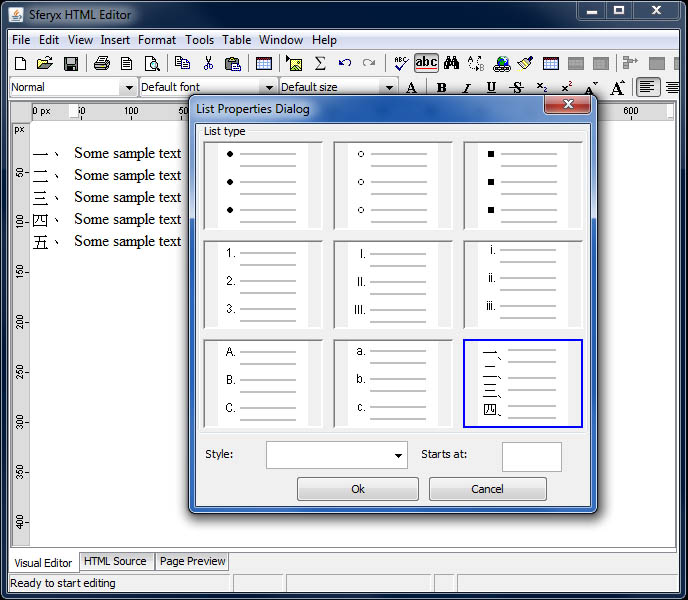
10) Various fixes in the table resizing and editing - have been fixed various minor issues with the table manipulation features.
11) Great improvements in the zooming features - improved performance and the rendering quality.
12) New methods in the HTMLEditorOracleBean class:
public void switchExternalDictionary(String externalDictionary) - Switches to a given dictionary specified by its location as URL in the externalDictionary parameter.This way can be easily implemented languages switch at runtime.
public void loadDefaultDictionary() - Loads the default internal English dictionary for spellchecking operations.
public void openDocxFile(File file) - opens MS Word .docx file silently and imports it into the editor for editing inside the HTMLEditorOracleForms component.
13) public HTMLEditor getHTMLEditorInstance() in the HTMLEditorJavaFXWrapper - allows easy access to all methods of the HTMLEditor class directly from your JavaFX application.
14) Improved RTF file import - various fixes and added compatibility for the latest RTF specifications
15) Various fixes in the implementation of the read-only elements defined through the readonly attribute.
16) Fixes and improvements in the functionality of the sferyx.administration.editors.extensions.ElementEditabilityEvaluator class
17) Improved spellchecking capabilities - better and enhanced word matching and overall performance.
18) Various fixes in the UI of the editor and the toolbars selections.
19) Improved table rendering and CSS compliance - now the tables will respect correctly absolute positioning and also better margins support.
20) Fixed some issues with the undo redo actions - now in all cases they should work as expected.
21) Improved copy / paste operations from MS Word and Office - better convertion and rendering.
22) Fixed some issues with export copied to cipboard from the editor and java 1.8 compatibility - now everything should work as expected.
23) Improved the way visual margins work over selection - now will be indented all elements in the selection including tables etc.
24) Better performance when loading and decoding embedded base64 encoded images - now this has been improved and all imaghes are loading much faster, including large embedded images.
What's new in version 16.0
New features and fixes summary - changelog from 15.0 to 16.0
1) Great performance boost - large document loading and editing - greatly improved rendering performance in all versions and JRE's - faster loading and rendering of any type of documents.
2) Improved CSS compliance and rendering - improved rendering engine.
3) Greatly improved importing and pasting of documents from MS Office and other applications
4) Improved printing and print preview - now is possible to print specifying print style sheet the following ways:
By including the following tag inside the document:
<link media="print" href="http://host/print.css" type="text/css" rel="stylesheet" />
or using the method:
public void setExternalStyleSheetForPrint(String externalStyleSheetLocation) - Loads external style sheet for printing specified by the given URL. The newly loaded classes will be used for printing or PDFExport if specified.
5) public void setPageLayoutView(boolean enabled) -Turns on/off the page layout of the entire document - this is very useful to see how the document actually would look when printed - it simulates the MS Word print layout view.
6) public void setPageLayoutView(PageFormat pageFormat) -Turns on/off the page layout of the entire document - this is very useful to see how the document actually would look when printed - it simulates the MS Word print layout view. With this method you can specify also the page size to be used.
7) New Page Layout View - this new functionality will emulate the MS Word print layout view for HTML documents - it can be turned on/off as needed.
8) Improved print preview dialog - better and faster rendering.
9) Now is possible to specify print headers, footers and page numbers - with this new functionality is possible to specify header for first page and also headers for all other pages, footers and page numbers.
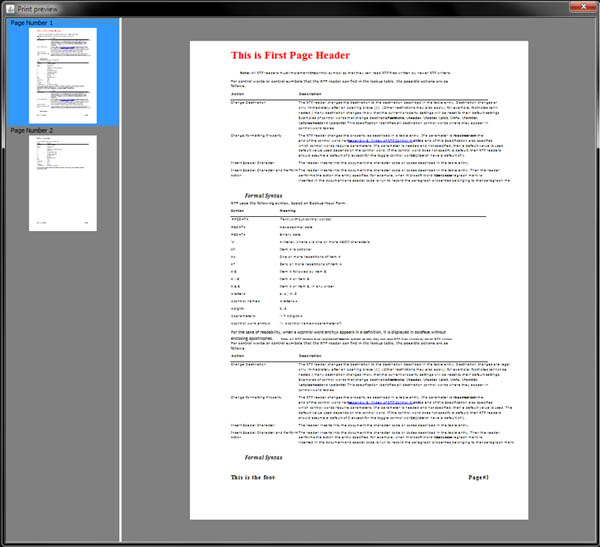
10) public void setPrintFirstPageHeader(String header) - Allows to be specified the header for the first page to be shown on the Print preview and when printing. You can set as a parameter any html formatted text and include the following parameter to display the number of each page like this:
htmlEditor.setPrintFirstPageHeader("<h1>This is the First Page Header</h1>");
This will produce a string like This is the First Page Header at the top of the page. You can set any HTML attributes and elements including images etc. to format the output as you need.
For the rest of the pages please see setPrintHeader method
11) public void setPrintHeader(String header) - Allows to be specified the headers to be shown on the Print preview and when printing. You can set as a parameter any html formatted text and include the following parameter to display the number of each page like this:
htmlEditor.setPrintHeader("<h1>This is a Page Header</h1>");
This will produce a string like This is a Page Header at the top of the page. You can set any HTML attributes and elements including images etc. to format the output as you need.
If you need to set different header for the first page only, please see setPrintFirstPageHeader method
12) public void setPrintFooter(String footer) - Allows to be specified the footers to be shown on the Print preview and when printing. You can set as a parameter any html formatted text and include the following parameter to display the number of each page like this:
htmlEditor.setPrintFooter("<h4>This is a Page Footer</h4>");
This will produce a string like This is the Page Footer at the bottom of the page. You can set any HTML attributes and elements including images etc. to format the output as you need.
13) public void setPrintPageNumber(String pageNumber) - Allows to be specified the page numbers to be shown on the Print preview and when printing. You can set as a parameter any html formatted text and include the following parameter to display the number of each page like this:
htmlEditor.setPrintPageNumber("<h4 align=right>Page @#SferyxHTMLEditor-PageNumber#@</h4>");
This will produce a string like Page 1 at the right bottom corner of the page. You can set any HTML attributes and elements including images etc. to format the output as you need.
14) public void setUsePrintCSSForPDFExport(boolean use) - this specifies whether to use the same print style sheet also for the PDFExport
15) public boolean isUsePrintCSSForPDFExport() - returns if the same settings for printing should be used with the PDFExport
16) public void setDefaultPageFormatForPDFExport(PageFormat pageFormat) - Sets the default PageFormat to be used by the PDFExport when available. By defautl the PageFormat dialog will be displayed to the user to select the paper size and margins.
17) public PageFormat getDefaultPageFormatForPDFExport() - Returns the default PageFormat to be used by the PDFExport when available. By defautl the PageFormat dialog will be displayed to the user to select the paper size and margins.
18) Improved RTF import - now most of the documents are handled properly.
19) Now you can drag and drop RTF documents inside the editor and they will be imported at the caret position - all the content will be converted and imported properly.
20) Now when you drop HTML documents inside the editor they will be converted the same way as when pasting - all the content will be filtered and handled properly to include all the formatting - this is especially valid for importing MS Office produced HTML documents.
21) Fixed Drag & Drop of temporary images - now they will be imported and rendered properly.
22) Improved handling of bullets - various fixes and improvements.
23) public void setDefaultPrintPreviewDimension(Dimension dimension) - Specifies the default size for the print preview dialog - if not specified it will be set by default of 80% of the screen size
24) public void setEscapeEntities(boolean escape) - if set to false the HTML entities will not be escaped and will be outputted the characters as they are - this can be useful for environments which do not recognize the entities such as Oracle Forms or similar.
25) public void setWriteBRInsteadOfAutomaticNBSP(boolean write) - if set to true, the default output for empty paragraphs will be <p><br/></p> and not the default <p> </p> - this is useful for compatibility with some frameworks and printing environments which do not recognize properly the paragraph breaks.
26) public void setWrapParagraphLinesAlwaysOnBodySize(boolean wrap) - if specified this will cause the editor to force lines to wrap on the body size even if there are no spaces or line breaks. This is useful to prevent very long non breakable lines when needed.
27) Improved background printing of html documents - now is possible to print document also when the editor is hidden - printing in background.
28) Improved the L&F of the editor when used with Nimbus L&F - resolved some minor issues when Nimbus L&F is being used.
28) public void importFiles(File[] files) - imports all the files at the caret position - the imported files if containing HTML content will be converted accordingly for full import as this would be done when pasting the content.
What's new in version 15.0
New features and fixes summary - changelog from 14.0 to 15.0
1) Great performance boost - large document loading and editing - greatly improved rendering performance in all versions and JRE's - faster loading and rendering of any type of documents.
2) Improved CSS compliance and rendering - reworked and improved rendering engine.
3) New zoom all feature - now is possible to zoom the whole document including images tables everything
4) public void setZoomEverything(boolean zoom) -Turns on/off the zooming of the entire page, now this is enabled by default. If turned off, only the text zoom will be available.
5) Pinch to Zoom feature for Touchscreen devices. Now is possible to zoom the entire document by resizing on touch screen or touch pad or also through CTRL + mouse wheel
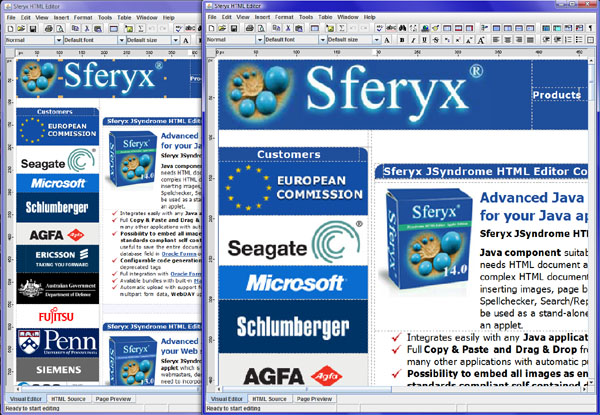
6) Improved print preview dialog - reduced memory consumption, improved performance for large multipage documents.
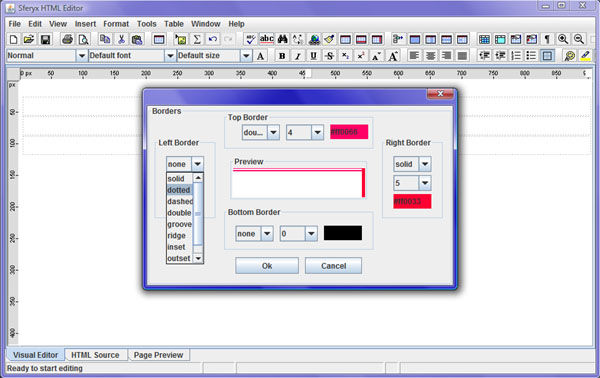
7) New borders editing dialog - now is possible to set top/bottom/left/right borders for all document elements.
8) Enhanced ruler functionality - now there is also the right margin ruler, also the rulers scale on zooming the whole content.
9) Custom Image scaling parameters:
public void setImageQualityRenderingHints(Map hints) - If specified - these rendering hints will be used to render images inside the editor - this should be used together with setHighQualityImageScalingEnabled(true)
public void setHighQualityImageScalingEnabled(boolean enabled) - If enabled the scaling of the resized images will be made using high quality algorithm which could lead to slower performance for large images.
public boolean isHighQualityImageScalingEnabled() - returns if high quality scaling is enabled
10) Now is possible to export the content as FO XML format for immediate conversion to PDF or RTF using Apache FOP
11) New methods for retrieving FO XML content both for the HTMLEditor and HTMLEditoOracleBean class:
public String getFOXMLContent() - Returns the entire content of the element as FO XML string.
public int getFOXMLContentLenght() - Returns the length of the FO XML content - it will include in the count also all the FO XML markup
public String getFOXMLContentPortion(int offset, int length) - Returns portion of the FO XML content - this should be used in environments where is impossible the whole content at once due to some limitations such as the case of Oracle Forms. This should be used in conjunction with getFOXMLContentLength() and make loop for retrieving all pieces.
These methods will return directly the converted content and formatted as FO XML which is ready to be converted in PDF or RTF using Apache FOP for example or the same in Oracle BI Publisher
12) Greatly improved feature is the RTF import - now you can open, display, print and edit RTF files directly.
13) Improved Copy and Paste from MS Office and other applications, improved paste support on Linux
14) Improved handling of Arabic text
15) Improved the visual image resizing features
16) Optimized the spellchecker for better word matching and performance.
17) public JComponent getToolbarItemByName(String toolbarItemName) - Returns a toolbar item by its name - this allows the full customization of the tool bars of the editor - you can change icons, size, add listeners etc The full list of the tool bar items see the user manual
18) Improved caret following visual editor in the source section - now even when the content of the html source is wrapped the caret follows the position of the visual editor.
19) New methods:
public boolean isWrapTextInHTMLSourcePane() - Returns if the wrap of the text in the HTML source pane is enabled or not.
public void setWrapTextInHTMLSourcePane(boolean wrap) - Sets whether to wrap the text in the HTML source pane or not.
20) Now Font properties dialog supports selecting simultaneously underline and strikethrough
21) public void addAddToDictionaryActionListener(ActionListener listener) which will allow you to manage addToDictionary button events.
22) Various new text conversion methods through menu items:
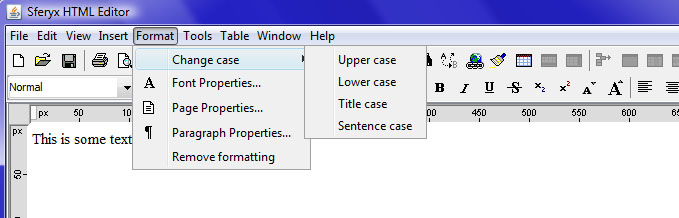
text-uppercase - convert text to uppercase
text-lowercase - convert text to lowercase
text-titlecase - convert text to title case
text-sentencecase - convert text to sentence case
23) Possibility to specify table caption on the Table properties dialog
24) Improved loading of inline Base64 encoded images - now documents containing such images are loading much faster.
25) String getHrefAtPoint(int x, in y) - returns if there is a link at the point where you have clicked on the document and if there is a link it returns the URL contained in the href so you can use it as you wish - isn't this what you need?
What's new in version 14.0
New features and fixes summary - changelog from 13.0 to 14.0
1) Large document loading and editing - greatly improved rendering performance in all versions and JRE's - faster loading and rendering of large documents.
2) Improved rendering and filtering of pasted MS Office and other files - better formatting of all elements and better rendering.
3) Initial support for Rich Text Format (RTF) import - now you can paste also RTF content from other applications.
4) Now you can copy and paste formatted content from PDF files.
5) Print Preview functionality - now the document can be previewed before printing.
6) New toolbar buttons for quick font size increase and decrease.
7) New rulers feature - now you can set margins of the paragraphs simply by dragging the ruler like in Microsoft Word.
8) Save the entire content as MIME e-mail message - now you can save the entire editor content including all images as a standard compliant MIME message and use it to send e-mails to any e-mail client including Microsoft Outlook.
9) public void writeContentAsMultipartMimeMessageToStream(OutputStream os) throws Exception - Writes the content of the editor as multipart MIME e-mail message format data including all images.
10) public String getContentAsMultipartMimeMessage() - returns a String with the content of the editor as multipart MIME e-mail message format data including all images
11) public void writeMultipartContentToStream(OutputStream os, boolean entireFile) throws Exception - Writes the multipart form data generated by the editor to be written to an arbitrary stream.
entireFile parameter indicates whether the entire html content to be written or only the body part of it.
The developer should take care about the handling of open/close of the stream in a proper way.
12) public int getMultipartMimeMessageContentLength() - Returns the length of the content as multipart MIME e-mail message format data.
13) public String getMultipartMimeMessageContentPortion(int offset, int length) - Returns portion of the content as multipart MIME e-mail message format data - this should be used in environments where is impossible the whole content at once due to some limitations such as the case of Oracle Forms. This should be used in conjunction with getContentLength() and make cycle for retrieving all pieces through getMultipartMimeMessageContentPortion(int start, in length)
14) New methods in HTMLEditorOracleBean:
public int getMultipartMimeMessageContentLength() - returns the length of the content as multipart MIME e-mail message format data.
public String getMultipartMimeMessageContentPortion(int offset, int length) - returns portion of the content as multipart MIME e-mail message format data - this should be used in environments where is impossible the whole content at once due to some limitations such as the case of Oracle Forms. This should be used in conjuction with getContentLength() and make cycle for retirieving all pieces through getMultipartMimeMessageContentPortion(int start, in length)
public boolean writeContentAsMultipartMessageToFile(String fileName) - writes into the specified file the entire content as multipart MIME e-mail message format data. If you use file extension .eml you can open the file in e-mail clients like Outlook, Windows Mail, Thunderbird etc.
15) Greatly improved CSS rendering - better rendering and faster page loading
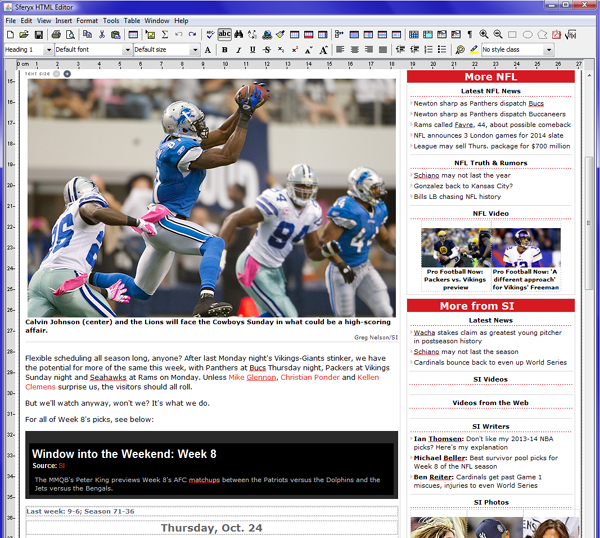
16) New methods for easier Microsoft Word emulation:
public void setMSWordStyleTables(boolean MSWordStyleTables) - if set to true this method will force the editor to generate newly inserted tables to be a Microsoft Word like style with black borders and no spacing instead of the default invisible ones.
public boolean isMSWordStyleTables() - Returns whether newly inserted tables are in Microsoft Word style.
18) Improved lists handling - fixed various minor issues
19) Improved the default ColorChooser - now the selected colors are remembered for further use.
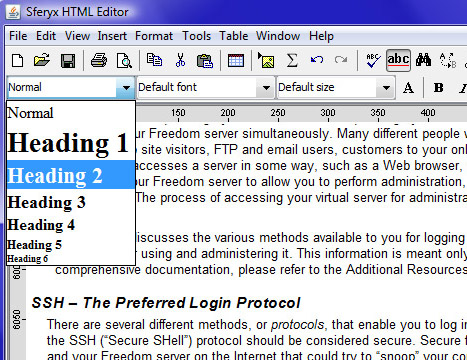
20) New preview rendering for heading styles combo box.
21) Fixed some issues with readonly elements
22) Improved spellchecker - optimized for spellchecking of large documents and more accurate results.
What's new in version 13.0
New features and fixes summary - changelog from 12.0 to 13.0
1) Large document loading and editing - greatly improved rendering performance in all versions and JRE's - faster loading and rendering of large documents.
2) Improved rendering and filtering of pasted MS Office and other files - better formatting of all elements and better rendering.
3) Added support for rendering of inline Base 64 encoded images - now the inline document images are rendered properly.
4) Optimized rendering performance of documents containing large inline image - now the loading of documents containing inline images has been improved and it happens almost instantly
5) setEmbedAllImagesInsideTheDocument - this new method enables the editor to embed all document images inside the HTML code which is retrieved using getContent(), getBodyContent() methods. This way is possible to create fully self contained documents to be saved as simple strings inside database fields (for example CLOB or similar) or even simple text files. You can even retrieve the entire documents easily in a client-server environment by simply getting the document content. This feature can also be very useful in the creation of e-mail like applications for embedding all images inside the message body.
public void setEmbedAllImagesInsideTheDocument(boolean embed) - if this is set to true, you can retrieve the document HTML and all the images by simply using getContent() or getBodyContent().
6) isEmbedAllImagesInsideTheDocument() - returns whether the embedding of images is enabled.
7) public void setWrapParagraphLinesAlwaysOnEditorSize(boolean wrapAlways) this new method will force the editor to always wrap the text content to the editor size - it will break the words even if there is no whitespace.
8) Improved list handling operations - fixed some minor issues
9) Fixed various issues in table editing operations - improved table editing support, fixed some issues which were causing errors in the table and table cell editing.
10) Improved CSS standards compliance rendering - now has been added support for multiple class name declarations inside the class attribute
11) setLoadDocumentsAsynchronously(boolean load) - this new method causes the documents to be loaded asynchronously providing instant visual feedback when loading large documents - this emulates the browser behavior when the pages load in pieces and part of the content shows up immediately when the page is loaded. This is even more efficient in page loading when combined with setLoadDocumentImagesInASeparateThread(true)
12) public boolean isLoadDocumentsAsynchronously() - returns whether the document elements are loaded asynchronously to provide instant visual feedback on the page loading.
13) Table row handling - Insert Table Rows Above and Blelow - now is possible to insert table rows before and after the current position. This simplifies greatly the various table editing operations.
14) Table column handling - Insert Table Columns Left and Right - now is possible to insert table columns before and after the current position. This simplifies greatly the various table editing operations.
15) Table cell handling - various fixes for table cell split operations when there are multicolumn and multirow cells.
16) Table cell handling - various fixes for table cell merge operations when there are multicolumn and multirow cells.
17) Greatly improved rendering of CSS properties like borders, margins and backgrounds for better standards compliance.
18) Optimized spellchecker engine for faster performance and better thread synchronization.
19) Now the document generator generates <span> tags instead of <font> to ensure better standards compliance of the generated documents.
20) Added support for more CSS 3 attributes now all inline CSS attributes are preserved when the document is generated.
21) Added support for CSS 3 2D transformations like transform:rotate(90deg) - this enables rotation of all document elements including tables and table cells
22) Improved support for links mouse over events in preview mode - now are supported all attributes and nested CSS declarations - this way is possible to create dynamic mouse over effects for links like font color, size, family, underline, bold, background etc. Please note that this will work only in the preview mode.
23) Included support for the new CSS 3 rem unit. Improved support for em units for dimensions and font sizes.
24) Fixes for some element dimensions in percentages..
25) Fixed behavior of image size in percentages to reflect new specifications base on parent element dimensions.
26) Various fixes in importing MS Word and MS Excel files. Now all the documents are rendered properly.
27) Applet Edition - now is possible to scroll the content of the editor even when it has been disable when using setEnbled(false) from javascript.
28) Applet Edition - now are available also the following javascript methods:
resetDocumentEdited() - permits to reset the state of isDocumentEdited() variable when needed.
setEditorBackgroundColor(String color) - this one takes string html colors like #FFFFFF etc.
This way you can change the color when for example enable/disable the editor or need to set different default background color without affecting the document formatting..
29) New Oracle Forms method:
public String getEditorState() -Returns the current state of the editor. The returned value is one of
VISUAL_EDITOR
SOURCE_EDITOR
PAGE_PREVIEW
30) New Oracle Forms method now is possible to set for reporting only pre defined keys when custom events are enabled
public void addKeyToKeyEventMask(int keyCode, boolean shiftDown, boolean altDown, boolean ctrlDown, boolean metaDown, boolean altGraphDown) - If key is added to the key event mask only events generated from this key will be dispatched as custom events, others will be ignored . To reset the event mask use resetKeyEventMask method. keyCode is the code of the key on the keyboard. Example Enter is 13, Space bar is 32 etc.
public void resetKeyEventMask() -To reset the event mask use resetKeyEventMask method
So if you want to set key event mask for the F9, Shift+F9 and F10 you will need to do like this:
htmlEditor.addKeyToKeyEventMask(120,false,false,false,false,false);
htmlEditor.addKeyToKeyEventMask(120,true,false,false,false,false);
htmlEditor.addKeyToKeyEventMask(121,false,false,false,false,false);
This way only those event will be reported. Obviously this is used in conjunction with keyPressed event mask if event masks are enabled.
31) Now is possible to load the UI translation files, custom style sheet files and the dictionaries also from the class path for easier bundling and integration.
32) New HTMLEditorOracleBean methods for better Oracle Forms integration:
public void setDisableToolbarItems(String toolbarItemNames)
33) New HTMLEditorOracleBean methods for better Oracle Forms integration:
public void setEnableToolbarItems(String toolbarItemNames)
34) New HTMLEditorOracleBean methods for better Oracle Forms integration:
public void setEnabled(boolean enabled)
public boolean isEnabled()
35) New HTMLEditorOracleBean method - will select the word at the current caret position
public String selectCurrentWord()
36) New HTMLEditorOracleBean method - will create an empty document inside the editor resetting all the content inside it.
public void createEmptyDocument()
37) New HTMLEditorOracleBean method - sill replace the word at the current caret position with the given word
public void replaceCurrentWord(String replaceWith)
38) New HTMLEditorOracleBean method - this method allows to be captured only specific action events from all UI elements such as toolbars and menus. discardDefaultActions specifies whether the default action for the UI element to be suppressed or not. This way you can implement easily your own handlers for all UI items of the editor by disabling the default functionality and implementing a new one.
public void setEnableActionEventMaskForUIItems(String uiItemNames,boolean discardDefaultActions)
39) New HTMLEditorOracleBean method - this method will enable/disable the local file dialog when needed. This will result in disabling of all browse buttons which lead to local file browsing
public void setLocalFileBrowsingDisabled(boolean disabled)
Returns whether the local file browsing is enabled
public boolean isLocalFileBrowsingDisabled()
40) New HTMLEditorOracleBean method - this allows easy reversal of the document depending on the writing system used.
public void setLTROrientation()
public void setRTLOrientation()
41) New HTMLEditorOracleBean method - this new method enables the editor to embed all document images inside the HTML code which is retrieved using getContent(), getBodyContent() methods. This way is possible to create fully self contained documents to be saved as simple strings inside database fields (for example CLOB or similar) or even simple text files.
public void setEmbedAllImagesInsideTheDocument(boolean embed)
public boolean isEmbedAllImagesInsideTheDocument()
42) New HTMLEditorOracleBean methods for internal document navigation when implemented in Oracle Forms
public void setCaretPosition(int position) -sets the caret postion
public int getCaretPosition() -returns the current caret position
public void setSelection(int start, int end) -sets the selection start and end positions
public int getSelectionStart() -returns the selection start
public int getSelectionEnd() -returns the selection end
43) New HTMLEditorOracleBean methods for internal document navigation when implemented in Oracle Forms
public boolean isCaretPlacedInAReadOnlySection() - indicates if the caret is inside a read-only section of the document
44) These new HTMLEditorOracleBean methods have been added to extend the Oracle Forms functionalities and allow uploads and WebDAV publishing of the documents.
public void setUploadContentAsMultipartFormData(boolean uploadContentAsMultipartFormData)
public void setUploadedObjectsTranslationPath(String uploadedObjectsTranslationPath)
public boolean uploadMultipartContent(String saveLocation, boolean entireFile)
public void setPublishContentUsingWebDAV(boolean publishContentUsingWebDAV_)
public void setGenerateUniqueImageFilenames(boolean generateUniqueImageFilenames_)
public void saveToLocation(String saveLocation, boolean entireFile)
public void setGlobalReplacementFontFamilyOnPaste(String replacementFontFamily)
45) New HTMLEditorOracleBean method is used to convert the non ASCII characters to HTML entities for easier store and retrieve operations - you should set this to true - the default value is false.
public void setDontConvertCharacters(boolean convert)
46) New HTMLEditorOracleBean method closes the existing content buffer and inserts its content inside the editor at the caret position - this method will not reset the entire content of the editor but will insert it along with the existing one. This should be used in conjunction with openContentBuffer() and appendContentToContentBuffer(String content). This methods are very useful in environments where long content strings cannot be inserted at once due to some limitations as happens for example in Oracle Forms. See supplied examples in the users manual.
public void closeBufferAndInsertAtCaretPosition()
46) New HTMLEditorOracleBean method returns the length of the plain text content of the editor.
public int getPlainTextContentLenght()
47) New HTMLEditorOracleBean method returns portion of the plain text content - this should be used in environments where is impossible the whole content at once due to some limitations such as the case of Oracle Forms. This should be used in conjunction with getPlainTextContentLength() and make cycle for retrieving all pieces through getPlainTextContentPortion(int start, in length)
public String getPlainTextContentPortion(int offset, int length)
48) New HTMLEditorOracleBean method Returns the current state of the editor. The returned value is one of
VISUAL_EDITOR
SOURCE_EDITOR
PAGE_PREVIEW
public String getEditorState()
48) New HTMLEditorOracleBean method Returns the current state of the editor. The returned value is one of
VISUAL_EDITOR
SOURCE_EDITOR
PAGE_PREVIEW
public String getEditorState()
49) New interface public interface sferyx.administration.editors.extensions.ElementEditabilityEvaluator - this is used to implement custom read-only decision making algorithms to evaluate if given element is read-only, editable or deletable.
50) New method setElementEditabilityEvaluator
This method allows to implement custom editability functionality on each document element. Through the provided interface is possible to define which elements are editable and which are deletable etc.
public void setElementEditabilityEvaluator(ElementEditabilityEvaluator eee)
Returns whether custom element editability evaluator has been set.
public ElementEditabilityEvaluator getElementEditabilityEvaluator()
51) Fixed various issues when applying custom style classes through the style class combobox on the toolbar - now it is easier to set and remove style classes to the various elements.
52) Fixed various translation and internationalization issues on some property dialog windows.
53) Implemented support for display and rendering of <iframe> elements.
What's new in version 12.0
New features and fixes summary - changelog from 11.0 to 12.0
1) Greatly improved rendering performance in all versions and JRE's - faster loading and rendering of large documents.
2) Many improvements in the pasting of MS Office and other files - better formatting of all elements and better rendering.>
3) new method public void switchExternalDictionary(String externalDictionary) - now is possible to switch the dictionaries during runtime.
4) new method public void loadDefaultDictionary()- loads the default dictionary after it has been replaced previously by external one.
5) new method public void setUnderline(boolean underline) new shortcut method for easier setting of basic text properties.
6) public void setBold(boolean underline) new shortcut method for easier setting of basic text properties.
7) public void public void setItalic(boolean underline) new shortcut method for easier setting of basic text properties..
8) Improved list handling operations - fixed some minor issues
9) Improved CSS rendering - faster loading and better support for rendering the various elements.
10) Improved the loading of images in a separate thread - now all the documents in this mode load faster.
11) Improved table handling and various table resizing operations.
12) Table handling - various fixes for table cell merge operations
13) Table handling - various fixes for table cell split operations
14) Various fixes for list rendering - improved visual similarity with various browsers.
15) Border-collapse CSS property now supported for tables
16) Fixed various issuess on pasting plain text
17) Improved images selection and resize
18) PDFGenerator: better rendering and faster document generation.
19) PDFGenerator: fixed some issues concerning content wrapping.
20) Fixed some compatibility issues with jre 1.7
21) Fixed some toolbar layout issues.
22) Now by default the toolbars are no longer floatable by default.
23) Improved loading of documents with international charsets. Fixed some issues when loading such documents in the preview section.
24) Improved custom XMLL components management
25) Improved spell checking capabilities and performance. Resolved some minor issues with both as-you-type and manual spellcheckers.
26) Some minor fixes when loading https images with expired or non valid certificates.
27) Now the file names of the uploaded files are encoded using the default encoding indicated through defaultCharset.
28) The URLs should be now encoded as expected.
29) Resetting of the default table cell backgrounds and colors should be working as expected for multiple cells. Now you can reset the multiple table cell border thickness by setting the value to 0.
30) New parameter for using custom File names as follows in the Applet Edition:
<PARAM NAME ="useCustomFileNaming" VALUE="imageFile"> - Sets the file name pattern to be used for renaming of the uploaded files - this will work only if generateUniqueImageFilenames is set to true - this way all the uploaded files will be named like "imageFile"+uniqueIdentifier+fileExtension
31) Improved content generation when not enabled setForcedSpanGeneration -some empty tags generated automatically now are discarded.
32) Improved table cell properties dialog for better handling of multiple cell selection.
33) Improved color chooser for background and foreground color selection with the possibility to reset the current color to automatic..
34) public void setResetAllBlockQuotesOnEnter(boolean resetAll) - when set to true, the default enter action will resets all underlying blockquotes mimicking a e-mail editor behavior when replying.
35) public boolean isResetAllBlockQuotesOnEnter() - returns whether the automatic reset of blockquotes on enter is enabled or not.
What's new in version 11.0
New features and fixes summary - changelog from 10.0 to 11.0
1) Greatly improved rendering performance in all versions and JRE's
2) new method htmlEditor.setTreatAlwaysPastedPlainTextAsPlain(true) - this method allows by default to be pasted plain text and converted automatically for proper representation by the HTMLEditor
3) new method htmlEditor.setLoadDocumentImagesInASeparateThread(true) - specfifies all the document images to be loaded into a separate thread so the initial docuemnt show more quickly accelerating the user visual perception of the document loading
4) new method public void setGlobalReplacementFontFamilyOnPaste(String replacementFontFamily) allows upon paste to be replaced all defined fonts with a specific font familyy
5) public void disableHTMLEditorFocusRequests(boolean disable)
6) Improved list handling operationss
7) Improvements in the management of read-only sections and especially with custom XML tags
8) Improved CSS rendering
9) Oracle Forms integration:Now by default all events are enabled including keyEvents.
10) Oracle Forms integration: Now you can specify only selected events to be delivered through the method
setCustomEventDispatchingMask("mouseReleased,insertUpdate,keyTyped")
This way only the specified events in the list will be dispatched to WHEN-CUSTOM-ITEM-EVENT
To receive the cut events you should enable also the removeUpdate type events.
11) fixed some minor issuess with the substance look and feel
12) New method: getPreviewPopupMenu() - allows direct customization of the preview popup menu.
13) Improved style loading and rendering
14) Improved drag and drop operations
15) Fixed issues with modifying and drag and drop of table elements - now drag& drop of entire tables is executed correctly
16) Fixed issues with drag and drop of list elements.
17) PDFGenerator: now you can specify Headers, Footers and Page numbers in any formatting and position through full HTML formatting support
18) PDFGenerator: New options for integration with OraclReports - setDiscardEmptyPages() when is specified large page so the paging is made directly by the PDFGenerator
19) PDFGenerator: now all hyperlinks inside the HTML document are generated as links (annotations) automatically inside the resulting PDF file
20) Improved user experience when editing lists, images and tables, pasted from MSWord or other external applications.
21) public void setForceCSSOutput(boolean force) - forces CSS attributes to be generated instead of deprecated HTML attributes indipendently how the attributes have been specified previously.
22) setDisableAutomaticNBSP(boolean disable) - disables automatic generation of nbps entities inside the empty paragraphs
23) Improved form components editing, renderingg
24) Improved custom XML components management
25) Improved spell checking capabilities and performance. Resolved some minor issues with both as-you-type and manual spellcheckers.
26) Improved background rendering for different CSS options.
27) Greatly improved pasting of formatted content from MSOffice and other external applications - better rendering, conversion and performance
28) Performance boost for editing large files.
29) Initial support for some new HTML 5 elements.
30) Various fixes for the JavaScriptEmulation engine for more efficient referencing of the various document elements.
31) Various fixes for better performance for the methods insertTable and setInnerHTML - now is possible to use it on practically all elements.
32) Various improvements for specifying the document base through setAbsoluteDocumentTranslationURL - now applies automatically when using set content
33) Improved setPreviewModeOnly,, now is possible to track the various elements, also fixed some issues on the document scroll position
34) Resolved different issues with the fonts sizes selection and the display into the font sizes combo - now are shown all the font sizes independently of the combo box content.
35) Resolved issue with Oracle Form and jre 1.4 on Win Vista and Win 7
36) New method - setOuterElement(Element elem, String content) - now together with setInnerElement(Element elem, String content) is possible to manipulate practically all the document elements.
37) Improved border and background painting for tables, better CSS implementation.
38) Faster loading of large style sheets
39) Resolved some performance issue with very large tables.
40) Now is possible to copy text when in preview mode only
41) Better handling of automatic as-you-type hyperlink insertion
42) Fixed various issues on hyperlinks concerning the applying of hyperlink attributes after pasting or inserting hyperlinks
43) Now readonly sections can be defined also through <a> attribute
44) PDFGenerator: Fixed some minor page layout and formatting issues
45) PDFGenerator: implemented support for the page formatting CSS properties like page-break-before, page-break-after, page-break-inside
46) PDFGenerator: implemented support for preserving tables and list elements to do not break across the pages
If set to true, the PDFGenerator will try to not break tables when page break is encountered if the table is not longer than the page height. The default value is false
public void setDoNotBreakTablesAcrossPages(boolean disablebreak)
public boolean isDoNotBreakTablesAcrossPages()
If set to true, the PDFGenerator will try to not break tables when page break is encountered if the table is not longer than the page height. The default value is false
public void setDoNotBreakListsAcrossPages(boolean disablebreak)
public boolean isDoNotBreakListsAcrossPages()
What's new in version 10.0
New features and fixes summary - changelog from 9.0 to 10.0
1) Now, the utf-8 is the default charset for decoding the intitailURLEncoding content, others can be specified through the defaultCharset parameter.
Now on the server you can do :
java.net.URLEncoder.encode("some text","utf-8");
and put it in initialURLEncodedContent as applet parameter - by default it will be decoded properly.
2) <PARAM NAME="maxFileUploadSize" VALUE="number or 20M or 20K"> this new parameter will limit the file size of the uploads limited to a specified value. If one of the files is bigger the upload will be stopped and error message will be prompted..
3) <PARAM NAME="keepAspectRatioWhenResizeImages" VALUE="true|false"> this forces when resizing images visually to keep aspect ratio. Otherwise this can be achieved by pressing the Shift key down while resizing.
4) new method: public void addAdditionalDynamicParameter(String name, String value) - this new method allows dynamically to be added new variables to be sent to the server together with the file upload operation. This would allow complete AJAX style operations without the need to reload the page when saving the content. You can send this way all the page form fields along with the applet multipart upload.
5) <PARAM NAME="replaceCharactersAsYouType" VALUE="o=a|this=that"> - specifies characters or string literals to be replaced as-you-type. The format for replacing is as follows : charToReplace=replacementChar. The same is valid for string literals, the various pairs of replacements a separated by the "|" character. When replacing string literals, the replacement will be completed when a space, tab or new line character is typed after the string to be replaced.
6) <PARAM NAME="disabledKeyboardCharacters" VALUE="oagjiesc"> - specifies characters to be disabled as-you-type. All the single characters specified in the parameter will be denied entry from the keyboard as the user types on it. In the example here all the single characters o,a,g,j,i,s,c will not be allowed to be inserted from the keyboard.
7) <PARAM NAME="removeCTRLKeystrokes" VALUE="true|false"> - if true - this parameter will disable all the CTRL+key default operations. The default value is false.
8) <PARAM NAME="sendAddWordsToServer" VALUE="http://your_server"> - specifies the server address where to send new words if there is a need to manage them centrally for all users. This parameter will cause all new words added by the users to be sent to a central repository and added to a centralized dictionary - the word will be sent through a GET request using query string parameter name wordToAdd. This parameter could be used in conjunction with externalDictionary and appendExternalDictionary parameters
9) <PARAM NAME ="debug" VALUE="true|false"> - will force the editor to display inside the editor window the response returned from the server if any.
10) <PARAM NAME ="displayServerResponseAsWarning" VALUE="true|false"> - will force the editor to display the server response inside a popup window as a warning message. To be used in conjunction with the parameter "debug"
11) Now you can specify the HTML form components properties though CSS like background, color, font, width, height etc.
<html>;
<head>
<style type="text/css">
.test{ font-size:30px;background-color:yellow;color:red;}
#some_id{ font-size:30px;background-color:red;color:yellow;}
</style>
</head>
<body>
<input class="test" name="my_button" type="submit" />
<input id="some_id" name="my_button2" type="submit" />
</body>
</html>
<input id="3246" class="test" name="my_button" type="submit" />
12) There were already methods for direct access to the form components like
public void addFormElementsMouseListener(MouseListener listener)
public void removeFormElementsMouseListener(MouseListener listener)
public void addFormElementsKeyListener(KeyListener listener)
public void removeFormElementsKeyListener(KeyListener listener)
and now we have added also the following new ones:
public void addFormElementsContainerListener(ContainerListener listener)
public void removeFormElementsContainerListener(ContainerListener listener)
13) Improved rendering and overall editing performance
14) Improved support for RTL languages such as Arabic and Hebrew - fixed some minor issues
15) Dual mode content editing functionalities - synchronous and asynchronous as follows:
- setContent(String htmlContent) is astynchronous - to be used according to the specific case
- setContent_(String htmlContent) is synchronous - to be used according to the specific case
- insertContent(String htmlContent) is astynchronous - to be used according to the specific case
- insertContent_(String htmlContent) is synchronous - to be used according to the specific case
16) Improved custom tags management
17) Improved CSS support
18) Several minor fixes for the spellchecker
19) Improved spelling match capabilities
20) PDFGenerator & PDFExport Add-on - several performance and file generation fixes
21) PDFGenerator & PDFExport Add-on - Added support for virtually all languages through the UTF-8 character set encoding
22) PDFGenerator & PDFExport Add-on - Added support for RTL languages such as Arabic, Hebrew, Farsi
23) PDFGenerator & PDFExport Add-on - Added support for all Arabic ligatures and specific glyphs
24) PDFGenerator & PDFExport Add-on - Tested support for the following languages and any resulting combination of them through the UTF-8 (More languages are also supported but simply currently have not yet been tested):
English, Estonian, Finnish, French, German, Italian, Greek, Bulgarian, Czech, Danish, Dutch, Hungarian, Irish, Latvian, Lithuanian, Maltese, Polish, Portuguese, Romanian, Slovak, Slovene, Spanish, Swedish, Catalan, Galician, Basque, Albanian, Arabic, Farsi, Hebrew, Croatian, Russian, Belarusian, Serbian, Turkish, Ukrainian, Azeri, Kazakh, Kyrgyz, Tatar ,Turkish, Turkmen, Uyghur, Uzbek, Chinese, Vietnamese.
25) PDFGenerator & PDFExport Add-on - Support for embedding all TTF fonts contained inside the HTML document inside the generated PDF file. Automatic substitution of missing fonts.
26) HTML Editor - possibility to specify the caching of the document images:
public void setDisableImageCaching(boolean imageCachingDisabled)
27) HTMLEditor - possibility to specify all images to not be loaded:
public void setDontLoadDocumentImages(boolean loadImages)
27) Now the automatic file uploading and save capabilities can emulate AJAX style client - server communication without the need of reloading the page while editing
28) Improved memory management
29) Improved list editing support, overall editing experience improved.
30) Some minor fixes concerning document generation in forced span mode
31) Possibility to specify all the images to keep aspect ratio while resizing
public void setResizeImagesAlwaysKeepAspectRatio(boolean keepAspectRatio)
32) Fixes on custom font lists and rendering of the font name on missing font files
33) Several fixes for the JavaScriptEmulationEngine concerning document element references.
34) Now is possible to paste images directly from the clipboard and subsequently execute direct uploads. This permits direct interaction with applications such as Adobe Photoshop or similar image processing applications.
35) Now is possible to drop images directly from the clipboard and subsequently execute direct uploads. This permits direct interaction with applications such as Adobe Photoshop or similar image processing applications.
36) Resolved some minor UI issues with various L&F
37) Resolved some minor issues with the context menu
38) New OracleForms methods for the PDFGenerator, some example usage for the contentBuffer for large content:
FBEAN.INVOKE('block_control.PDFGenerator', 1, 'openContenBuffer');
FBEAN.ADD_ARG(hArgs, :block_control.description1);
FBEAN.INVOKE('block_control.PDFGenerator', 1, 'appendContentToContentBuffer', hArgs);
FBEAN.CLEAR_ARGLIST(hArgs);
FBEAN.ADD_ARG(hArgs, :block_control.description2);
FBEAN.INVOKE('block_control.PDFGenerator', 1, 'appendContentToContentBuffer', hArgs);
FBEAN.CLEAR_ARGLIST(hArgs);
FBEAN.ADD_ARG(hArgs, :block_control.description3);
FBEAN.INVOKE('block_control.PDFGenerator', 1, 'appendContentToContentBuffer', hArgs);
FBEAN.CLEAR_ARGLIST(hArgs);
FBEAN.ADD_ARG(hArgs, :block_control.description4);
FBEAN.INVOKE('block_control.PDFGenerator', 1, 'appendContentToContentBuffer', hArgs);
FBEAN.CLEAR_ARGLIST(hArgs);
FBEAN.ADD_ARG(hArgs, :block_control.description5);
FBEAN.INVOKE('block_control.PDFGenerator', 1, 'appendContentToContentBuffer', hArgs);
FBEAN.CLEAR_ARGLIST(hArgs);
FBEAN.ADD_ARG(hArgs, 'c:\test.pdf');
FBEAN.ADD_ARG(hArgs,'Letter');
FBEAN.ADD_ARG(hArgs,'PORTRAIT');
FBEAN.INVOKE('block_control.PDFGenerator', 1, 'closeBufferAndGeneratePDF', hArgs);
FBEAN.CLEAR_ARGLIST(hArgs);
39) New extended insert image dialog for the HTMLEditor Component Edition, now is possible to specify directly upon insertion the various images parameters
40) Several new OracleForms methods for the HTMLEditorOracleBean
41) Several new OracleForms methods for the PDFGeneratorOracleBean
42) Minor fixes for the various table dialogs
43) Now is possible to define style sheets also for inline tags like <b>, <i> etc. which will be rendered during edit mode as-you-type.
44) Several fixes for the readonly sections especially concerning the inline readonly elements
45) Some fixes for the TAB transfer operations for the Component Edition
46) Now is possible to specify default Drop operation or specify none to disable drop operations.
What's new in version 9.0
New features and fixes summary - changelog from 8.0 to 9.0
1) Faster rendering engine: improved rendering performance in all versions and JRE's
2) Many improvements on the editing performance and document loading time especially for larger and more complex documents.
3) Possibility to specify different document generation mode - setForcedSpanGeneration will now force correctly to be generated standards compliant inline span styles for all the element formatting like fonts etc.
4) Reduced memory consumption improved performance with older JRE versions.
5) Improved document editing experience, resolved some annoying regression issues.
6) Improved CSS rendering according to the W3C specs in all versions and JRE's including JInitiator and JRE 1.3
7) Now is possible to specify any font size using setForcedSpanGeneration and setRestrictedfontSize methods
8) Now is possible to specify pixels to be used as font size units using setUsePixelsForFontSizeListCombo method
9) PDFExport - major improvements on the layout of the generated PDF documents
10) PDFExport - setPDFExportOutputEncoding - allows to be specified the encoding for the document. Currently are supported all West European languages, Cyrillic, Greek and Chinese.
11) PDFExport - setDefaultPageFormatForPDFExport - allows to be specified default page format for the PDFGeneration - this way the users will not be prompted with the Page size dialog.
12) Printing - setQuickPrint - this method allows the system default page size to be used for printing - this way the users will not be prompted with the Page size dialog.
13) Greatly improved document filtering when pasting MS Word documents - now all unnecessary tags and comments are discarded.
14) Greatly improved document rendering when pasting MS Word documents
15) Improved importing of documents through Drag&Drop operations from external files
16) Applet Edition new parameter: forceSpanGeneration
17) Applet Edition new parameter: usePixelsForFontSizeListCombo
18) Greatly improved OraclForms integration - now are available also properties for easier customization
19) New OracleForms examples: HTMLEditorForm-customization-example.fmx and HTMLEditorForm-customization-example.fmb - this simple example illustrates the features you need and how to configure the editor in order to use them. Simply load the form and you be able to see how it works
20) HTMLEditor-OracleForms-customization-example.txt - this file contains all the code from the example which illustrates how to configure the editor easily.
21) New OracleForms integration features - it includes the following new features:
FOCUS Control Features
- Now the focus will be handled automatically and when you are tabbing across the form it will be automatically transferred to the editor.
- To move out the focus from the editor to the next form field use SHIFT+TAB
- To be able to control programmatically the focus use the following properties:
FOCUS_OUTSIDE
Declare
Begin
FBean.Set_Property( 'HTMLEDITOR_AREA', 1, 'transferFocusOutside', 'true');
End;
FOCUS_INSIDE
Declare
Begin
FBean.Set_Property( 'HTMLEDITOR_AREA', 1, 'transferFocusInside', 'true');
End;
Initial Setup Features:
Using the properties below you will be able to configure the following:
1) Make the editor generate single paragraph spacing:
FBean.Set_Property('HTMLEDITOR_AREA',1,'singleParagraphSpacing','true');
2) Set only a restricted list of available fonts:
FBean.set_property('HTMLEDITOR_AREA',1,'restrictedFontList','Arial,Verdana');
3) Set the default font to be used when typing text into the editor:
FBean.set_property('HTMLEDITOR_AREA',1,'defaultInitialFont','Arial');
4) Set the default font size to be used when typing text into the editor
FBean.set_property('HTMLEDITOR_AREA',1,'defaultInitialFontSize','10');
Here is the whole code when the form loads
WHEN-NEW-FORM-INSTANCE
Declare
vString1 varchar2(32000);
Begin
FBean.Set_Property('HTMLEDITOR_AREA',1,'singleParagraphSpacing','true');
FBean.set_property('HTMLEDITOR_AREA',1,'flowToolbarLayout','true');
FBean.set_property('HTMLEDITOR_AREA',1,'restrictedFontList','Arial,Verdana');
FBean.set_property('HTMLEDITOR_AREA',1,'defaultInitialFont','Arial');
FBean.set_property('HTMLEDITOR_AREA',1,'defaultInitialFontSize','10');
End;
ENABLE/DISABLE THE EDITOR
Now you can easily enable/disable the editor through the following property:
DISABLE_EDITOR
Declare
Begin
FBean.set_property('HTMLEDITOR_AREA',1,'enabled','false');
End;
ENABLE_EDITOR
Declare
Begin
FBean.set_property('HTMLEDITOR_AREA',1,'enabled','true');
End;
CONTROL WHETHER THE DOCUMENT IS EDITED OR NOT
The code below illustrates how to use the document edited property:
1) Start the demo form
2) Click on "document edited" button on the form- it will print inside the text area -> documentEdited=false;
3) Now type some text inside the editor
4) Click again on the "document edited" button on the form - it will print inside the text area -> documentEdited=true;
Here is the code:
DOCUMENT_EDITED
Declare
vEdited boolean;
Begin
vEdited := FBean.Get_Bool_Property('HTMLEDITOR_AREA',1,'documentEdited');
if vEdited then
:block3.TEXT_AREA := 'documentEdited=true';
else
:block3.TEXT_AREA := 'documentEdited=false';
end if;
End;
23) new features: - now is included also a toolbar shortcut for strikethrough
24) Faster editing for large plain text files.
25) Resolved some regression issues causing slower layout in the applet edition.
26) Improved external style sheet loading and external resource resolving.
27) Now after drag and drop of external documents the relative files are resolved correctly against the point of origin
28) Now after drag and drop of external documents the external style sheets are loaded properly and added to the head of the document.
29) PDFExport now generates files faster with better resource compression in order to generate smaller files.
30) New methods in the HTMEditorOracleBean in order to provide a way for using the new functionalities for font and inline style generation
31) Now is possible to specify a multiple font family names for the font name combo using the | spearator in order to proved custom font span generation.
32) Better paste support for OracleForms, resolved some regression issues.
33) Now by default margins are generated in pixel units in order to provide better specification compliance.
34) New units like centimeters and inches are supported for resolving styles.
35) Now is possible to specify the cell border width directly in the cell properties dialog.
36) Now is possible to specify the paragraph border width directly in the paragraph properties dialog.
37) Improved and more efficient rendering of backgrounds resulting in faster performance.
38) Specific tuning for better loading performance both for OracleForms and Applet Edition.
39) New getSelectedHTMLContent method - returns the current selection as html formatted string.
40) Improvements over the read-only sections, resolved some regression issues.
41) Resolved some issues regarding the justified paragraph alignment and aligned images
42) PDFExport - improved border and float elements layout generation
43) PDFExport - improved page sizing, resolved some issue concerning the page formatting and default layouts.
44) HTMLEditor - resolved some regression issues concerning the resizing and layout rebuilding of the editor
45) HTMLEditor - introduced different synchronization levels for all more more frequently used methods so now the developers can choose to provide or not custom synchronization of the integration code.
What's new in version 8.0
New features and fixes summary - changelog from 7.5 to 8.0
1) Greatly improved rendering performance in all versions and JRE's
2) Great improvements on editing performance and document loading time
3) Added support for editing Large text files.
4) Reduced memory consumption, several fixes on various memory leaks.
5) Fast Oracle Forms and JInitiator loading time, greatly improved initial loading and performance -now the editor loads instantly when the form is executed
6) Improved CSS rendering in all versions and JRE's
7) Greatly improved rendering and editing performance within Oracle Forms
8) Many new methods and better integration with OracleForms and JInitiator
9) Applet Edition - improved loading and startup time in all versions.
10) Applet Edition - new Flow Toolbar layout allowing dynamic resizing of the toolbars
11) PDFExport - greatly improved document generation - better rendering of the PDF documents.
12) PDFExport - new file compression algorithm for generating smaller files.
13) PDFExport - improved OracleForms integration and especially for JInitiator.
14) PDFExport - Chinese character set support - full Chinese document generation support- see setPDFExportOutputEncoding for major details.
15) New methods for HTML Forms editing and generation - possibility to disable automatic form insertion when inserting form elements.
16) Several fixes on form elements for better editing and generation
17) XML Mode - improved XML support, now all types of tags are rendered better, improved editing experience of documents containing custom XML tags.
18) Improved overall CSS rendering and support both in Component and Applet editions.
19) Improved overall CSS rendering and support in XML mode
20) Improved overall CSS rendering and support for Oracle Forms with JInitiator.
21) Possibility to define your own property dialogs replacing the existing ones with customized versions.
22) Greatly improved spellchecking accuracy.
23) Possibility to specify dictionary encodings and also to specify additional dictionaries to be appended to the existing one also for the Applet edition.
24) New parametes for generation of the multipart uploads in order to specify custom HTTP variable names or one single name for all files if necessary.
25) MathML Equation Editor - improved loading time and rendering for MacOS
25) MathML Equation Editor - better integration for both Component and Applet Editions.
26) MathML Equation Editor - new Sakai support specific integration features
27) Drupal integration module - Sferyx wysiwyg API module for Drupal CMS
28) Lotus Notes integration manual - new manula for integrating the HTMLEditor both in the Lotus browser and Thick Client
29) New Drag&Drop functionalities - now can be set Preferred Drag&Drop functionality for the content
30) New support for drag&Drop multiple external files such as images, html documents, text documents directly inside the editor
31) All the dropped files can be uploaded through the multipart upload or WebDAV features
32) Improved generation of unique file names during the uploads
33) Possibility to specify custom file names for SAKAI integration users
34) Drop-in replacement for SAKAI for the entire SAKAI system in every single module and form
35) New Connector - SferyxUploadConnector for multiple file uploads inside the SAKAI resources
36) New Sakai Integration manual for Sakai Integrators
37) Sakai compatibility mode for workaround some tag restrictions inside the Sakai content modules.
38) Better paste operations support
39) Several fixes and Hebrew, Arabic and in general all RTL languages support during editing of formatted documents.
40) New dictionaries available for Russian, Latvian, Lithuanian, Estonian, Polish, Bulgarian, Spanish, improved French, German dictionaries
41) Applet Edition - new feature for setting character limit on the generated document for mainframe uses.
42) New toolbar icons for easier interaction with some functionalities such as search and replace.
43) Absolute positioning of document elements as specified in CSS
45) XML Mode - now all is possible to specify easier the rendering types of the elements like INLINE_TAG or
BLOCK_TAG using setTreatAllBlockTagsAsBlocks and after that specify only the exceptions to this rule.
46) New methods for HTMLEditorOracleBean for grabbing the focus to the component, new methods for resting the
available fonts, headings, font sizes etc.
47) New localization features for OracleForms for loading translation files, dictionaries etc.
As for the limited headings use the following new methods:
Declare
hArgs FBEAN.ARGLIST;
Begin
hArgs:=FBEAN.CREATE_ARGLIST;
FBEAN.ADD_ARG(hArgs,'Normal,Heading 1,Heading 2');
FBean.Invoke('HTMLEDITOR_AREA',1,'setRestrictedHeadingList',hArgs);
-------------------------
As for the limited fonts use the following new methods:Declare
hArgs FBEAN.ARGLIST;
Begin
hArgs:=FBEAN.CREATE_ARGLIST;
FBEAN.ADD_ARG(hArgs,'arial,sans-serif,verdana,sans-serif');
FBean.Invoke('HTMLEDITOR_AREA',1,'setRestrictedFontList',hArgs);
-------------------------
As for the limited font sizes use the following new methods:Declare
hArgs FBEAN.ARGLIST;
Begin
hArgs:=FBEAN.CREATE_ARGLIST;
FBEAN.ADD_ARG(hArgs,'8,10,11');
FBean.Invoke('HTMLEDITOR_AREA',1,'setRestrictedFontSizesList',hArgs);--------------------------
Request the focus:
Declare
hArgsEmpty FBEAN.ARGLIST;
Begin
hArgsEmpty:=FBEAN.CREATE_ARGLIST;
FBean.Invoke('HTMLEDITOR_AREA',1,'requestFocus', hArgsEmpty);--------------------------
Restricted fonts & setWrapNewLineIntoBR - for single line spacing - this is inside the WHEN-NEW-ITEM-INSTANCE on the bean area
Declare
vString BOOLEAN;
hArgs FBEAN.ARGLIST;
hArgs2 FBEAN.ARGLIST;
Begin
hArgs:=FBEAN.CREATE_ARGLIST;
hArgs2:=FBEAN.CREATE_ARGLIST;
FBEAN.ADD_ARG(hArgs,'arial,sans-serif,verdana,sans-serif,tahoma,times new roman');
FBEAN.ADD_ARG(hArgs2,true);
FBean.Invoke('HTMLEDITOR_AREA', 1, 'setRestrictedFontList', hArgs);
FBean.Invoke('HTMLEDITOR_AREA', 1, 'setWrapNewLineIntoBR', hArgs2);
End;
--------------------------
Loading a translation file
hArgs3 FBEAN.ARGLIST;
FBEAN.ADD_ARG(hArgs3,'http://your_host/your-translation.txt');
FBean.Invoke( 'HTMLEDITOR_AREA', 1, 'loadInterfaceLanguageFile', hArgs3);
New Oracle Forms methods
public void setRestrictedHeadingList(String headingList) - his method allows only certain fonts to be shown in the font list combo. The string must contain comma delimited list of the font names to be used like "Normal,Heading 1,Heading 2"
public void setRestrictedFontList(String fontList) - his method allows only certain fonts to be shown in the font list combo. The string must contain comma delimited list of the font names to be used like "arial,sans-serif,tahoma"
public void setRestrictedFontSizesList(String fontList) - his method allows only certain font sizes to be shown in the font size list combo. The string must contain comma delimited list of the font names to be used like "8,10,11"
public void setDefaultInitialFont(String initialFont) - sets the default font to be used
public void setDefaultInitialFontSize(String fontSize) - sets the default font size to be used
public void setWrapNewLineIntoBR(boolean wrap) - causes <br> to be generated instead of <p> - and to emulate Microsoft Word like paragraph spacing.
public void setSingleParagraphSpacing(boolean wrap) - causes <p> to be generated with default single paragraph spacing- and to emulate Microsoft Word like paragraph spacing.
public String getContentAccessibleForScreenReaders() - converts some tags to be used properly by screen readers when needed.
public String getBodyContentAccessibleForScreenReaders() - converts some tags to be used properly by screen readers when needed.
public void resetDocumentEdited() -resets the point from which isDocumentEdited() to report changes, Useful to be reset after setting the content etc.
public void setPDFExportOutputEncoding(String encoding) -sets the encoding for the PDF output when the PDFExport Add-on is installed - useful for Chinese etc.
public void setFlowToolbarLayout() - Sets the flow toolbar layout - all the toolbar items will be ordered one after another in a flowing manner in order to wrap around the available space.
public void loadInterfaceLanguageFile(String fileURL) - Loads external language file for localization of the UI.
48) Fixed some spellchecker issues for MacOS for selecting of the matched words.
49) Fixed Linux pasting issue
50) Improved CSS layout algorithm for faster performance.
51) Faster preview rendering and loading
52) Resolved various issues with the preview section for updating dynamically the content both when the preview is selected and when is set preview mode only.
53) New oracle forms integration examples and updated users manual.
54) Drag & drop improvements for Linux from external applications
55) Various MacOS UI rendering fixes for older java releases.
56) New field for setting onmouseclick attribute for button form field
57) PDFExport - improved document generation for western character sets, various fixers for MacOS X and Linux
document rendering
58) PDFExport - reduced the number of font entities inside the generated documents for faster rendering within
the PDF viewers.
59) Drag&Drop now allows dropping of mixed content including images, html and text files together as html and
text files will be inserted at the caret position along with the images.
60) XML Mode - improved block tag handling for all jre versions - better editing experience during paste
operations, possibility to insert custom tags dynamically
What's new in version 7.5
New features and fixes summary - changelog from 7.0 to 7.5
1) Improved generation of - now it is done automatically depending on the Space usage
2) Nested Lists - fixes of some regression issues.
3) Oracle Forms - improved integration with the default JInitiator and with jre 1.3 overall
4) Oracle Forms - new methods added to the sferyx.administration.editors.HTMLEditorOracleBean class as follows:
public void setEnableCustomEventDispatching(boolean customEventsDispatchingEnabled) - this method allows to enable/disable dispatching of the events from the editor to the underlying form
public boolean isEnableCustomEventDispatching() - this method returns whether is enabled/disabled dispatching of the events from the editor to the underlying form
public void dispatchOracleFormsEvent(String name, Object event) - this method allows to dispatch events from the editor to the underlying form which will captured into the WHEN-CUSTOM-ITEM-EVENT trigger of the form.
public void setContent(String htmlContent) - sets the content of the editor
public void insertContent(String htmlContent) - inserts new content into the editor at the caret position
public void insertPlainText(String htmlContent)- inserts new plain text into the editor at the caret position
public void setRemovedToolbarItems(String itemList) -allows customization of the toolbars
public void setRemovedMenuItems(String itemList) -allows customization of the menu items
public void setRemovedMenus(String itemList) - allows customization of the menus
public void setStatusBarVisible(boolean visible) -sets the state of the status bar.
public void setPopupMenuVisible(boolean visible) -sets the state of the popup menu.
public String getContent() -gets the content of the editor.
public String getPlainText() -gets the content of the editor as plain text.
public void setToolBarVisible(boolean visible) -sets the state of the toolbar bar.
public String getBodyContent() -gets the body contentof the editor - no html and head tags will be generated
public void insertImage(String imageURL) - inserts image at the caret position
public void insertLink(String linkURL) - inserts link over the selected text
public void setDefaultCharset(String encoding)
public void openLocation(String location) - opens the given location inside the editor
public void setExternalDictionary(String externalDictionary) - loads external dictionary
public void setPreviewModeOnly(boolean previewModeOnly) - sets the preview mode only
public void openContentBuffer() - opens a content buffer for loading large content
public void appendContentToContentBuffer(String content) - appends new content to a content buffer for loading large content
public void closeBufferAndInsert() - closes the buffer and inserts the content into the editor
public int getBodyContentLenght() - returns a length limit set previously for the editor
public int getContentLenght() - returns a length of the content.
public String getBodyContentPortion(int offset, int length) - returns a portion of the body content.
public String getContentPortion(int offset, int length) - returns a portion of the content.
public void setSourceEditorVisible(boolean visible) -sets the state of the source editor.
public void setPreviewVisible(boolean visible) -sets the state of the preview.
public void setAsYouTypeSpellcheckingEnabled(boolean enabled) - sets the state of spellchecker
public boolean isDocumentEdited() - returns whether the document has been edited or not.
public void setPreferredPasteOperation(int preferredPasteOperation) - sets the preferred paste operation
public int getPreferredPasteOperation() - gets the preferred paste operation
public void loadExternalStyleSheet(String externalStyleSheetLocation) -loads external CSS file
public String getBodyUnicodeContent() - returns the unicode content
public void setSourceCodeModeOnly(boolean sourceCodeModeOnly) - sets the source mode only
public void setShowBodyContentOnlyInSource(java.lang.String _showBodyContentOnlyInSource) - This method will cause the editor to show only the body content when switching to the HTML source editor.
public String getExternalStyleSheetLocation() - Returns the URL as string of the external style sheet loaded and used to apply style classes to the document elements
public void loadExternalStyleSheet(javax.swing.text.html.StyleSheet styleSheet, java.lang.String styleSheetURL) - Loads external style sheet specified by the given URL and adds its content to the existing style classes.
public void setExternalStyleSheetLocation(java.lang.String externalStyleSheetLocation) - Sets the external style sheet to be loaded and used for rendering and editing of the document.
public void loadStyleSheetRules(java.lang.String styleSheet) - Allows to load some style rules dynamically like for example body{background-color:red} etc.
public void setDefaultInitialFont(String initialFont) - sets the default font family to be used by the editor.
public void setDefaultInitialFontSize(String fontSize) - sets the default font size to be used by the editor.
public String getContentAccessibleForScreenReaders() - gets accessible content intended for screen readers - this will generate tags which are understood by the screen readers.
public String getBodyContentAccessibleForScreenReaders() - gets accessible cbody ontent intended for screen readers - this will generate tags which are understood by the screen readers.
public HTMLEditor getHTMLEditorInstance() - you can use this method to get a direct reference to the HTMLEditor instance and use all the available API as you whish. This allows full customization and access to all the available features of the HTMLEditor class.
5) Oracle Forms - new custom events reported to the underlying form:
This will enable the generation of the events from the editor to the form:
Declare
hArgs FBEAN.ARGLIST;
Begin
hArgs:=FBEAN.CREATE_ARGLIST;
FBEAN.ADD_ARG(hArgs,true);
FBean.Invoke('HTMLEDITOR_AREA', 1, 'setEnableCustomEventDispatching', hArgs);
End;
This code will capture the events using the WHEN-CUSTOM-ITEM-EVENT trigger of the form:Declare
EventName VarChar2(32000);
Begin
EventName := :SYSTEM.Custom_Item_Event;
-- the event name contains all the event data starting with the event type like
-- keyPressed==>all the event data - for this make sure the variable used is long enough
-- you can later parse the data and use it accordingly:
-- here we put all in a text area to display it easily:
:block3.TEXT_AREA :=:block3.TEXT_AREA|| 'Event name: ' || EventName;
End;Current event names start with the following names:
mouseReleased
mousePressed
mouseExited
mouseEntered
mouseClicked
mouseMoved
mouseDragged
focusGained
focusLost
insertUpdate
changedUpdate
keyTyped
keyPressed
keyReleased
6) Improved Oracle Forms pasting operations with JRE 1.3 now the pasted content is handled properly
7) Improved overall dialog layout for the new universal resolution Nimbus Look & Feel under JRE 1.6_10 and higher
8) Fixes for proper handling of Turkish locale settings
9) Symbol fonts now handled properly when typing
10) Applet Edition - fixes for proper handling of URLEncoded Unicode content
11) Applet Edition - better synchronization of set methods and remote save methods
12) Applet Edition - now insert image dialog displays all available options
13) Various fixes on setting different document properties.
14) Improved Equation Editor integration with all versions
15) Improved and enhanced PDFExport functionalities for all versions
16) Applet Edition - with support for the PDFExport
17) Now public String getEditorVersion() returns current editor version
18) Applet Edition - improved general performance
19) getPlainText() returns correctly the text from the preview mode only when set.
20) Now can be specified the mode for the setDocumentLengthLimit() - whether to concern the html tags or only the plain text
21) Resolved some status bar regression issues
22) Resolved some equation toolbar button issues when enabled/disabled
23) setSingleParagraphSpacing() now is more efficient and performs better for inserting MS Word style paragraphs.
24) Various XML more fixes for better constructing the XML grammars.
25) Applet Editon - new parameter: restrictedHeadingsList - for providing limited heading styles
26) Applet Editon - new parameter: enablePDFExport - for enabling PDFExport plugin when installed
27) Applet Editon - new parameter: singleParagraphSpacing - for generating Word style paragraphs
What's new in version 7.0
New features and fixes summary - changelog from 6.5 to 7.0
| 1) Document handling - fixed issues with span elements, now it adds the font properties properly. 2) Parser - fixed issues with span rendering with 1.4.2 for backward compatibility 3) Added support for OpenOffice styles format rendering 4) Added support for OpenOffice style format when pasting documents 5) Updated the document generation (writer) in order to convert font properties correctly for java 1,3 and OracleForms. 6) Fixed various issues with the inline document equation editing features - now the edited equations are generated and updated as mathml properly.
|
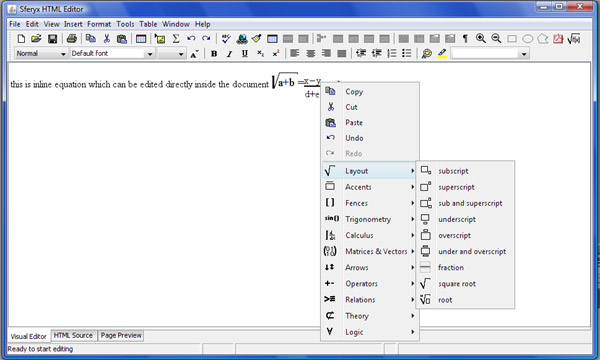
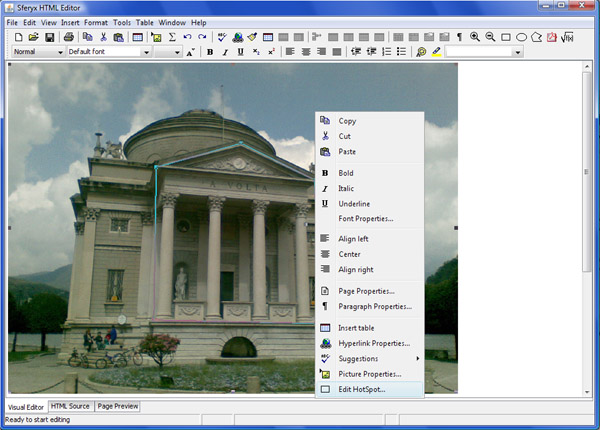
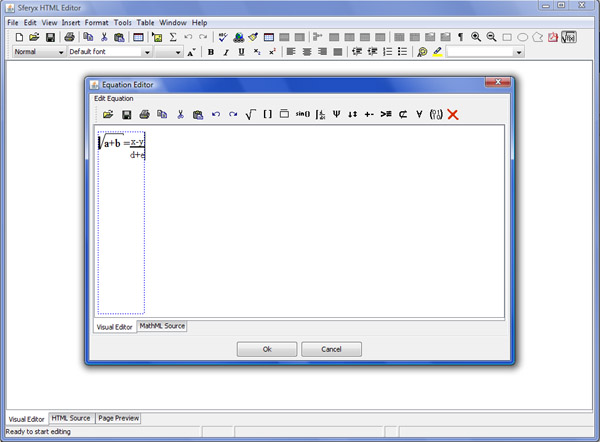
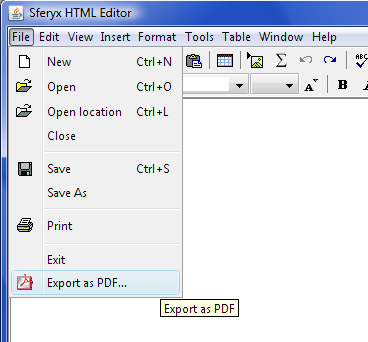
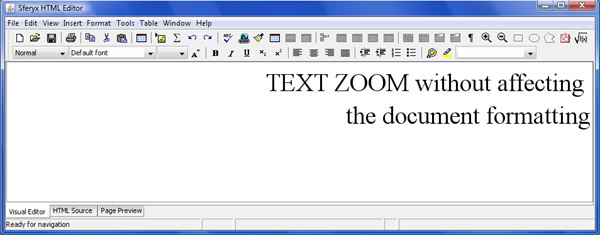
What's new in version 6.5
New features and fixes summary - changelog from 6.0 to 6.5
1) Text Folding functionalities implemented
2) insertContent() - fixed various issues regarding content handling
3) Table border - topInset - fixed for correct rendering
4) Image resize - fixed some resizing issues
5) Justification alignment
6) Improved pasting of complex formatting with nested layers
7) Fix custom image view in order to display properly images with one attribute only.
8) Fix for some duplicate <font> <span> generations
9) Caret handling issues resolved
10) Fixed issues for alignment of right/left floating views
11) Fix for generation of attirbutes in end tags/script tags
12) Spellchecker performance improved
13) Pragraph perfomance improved
14) HTMLEditor - performInstantSpell corrections
15) PasteFormattedText from clipboard fix for loosing formatting of the first paragraph
16) Fix pastePlainText from clipboard in order to properly handle line breaks.
17) Fixed in Paragraph views - removed to improve performance
18) adjustPopupElementsForEvent -try{}catch
19) FormComponentsListener -try{}catch
20) PreviewEditorKit - PreviewHTMLFactory - CustomFormInputView - submitData fix throwing exception
21) Spellyx - customwords dictionary improved, fix for adding normalized words.
22) Parsing issue fix for indocument styles formatting
23) Style Sheet handling - fix for loading external style sheets
24) SferyxUtilities - replaceAllBlockComments method
25) Style Sheet handling - fix for rendering - in order to reflect properly nested formatting between fonts, spans etc.
26) added form component listeners in the Applet Edition
27) Various fixes to proper rendering of aligned images
28) RubyTag support implemented resolve loss of style attribute in font
29) Fixes to document generation to resolve loss of text_align attribute i
30) HyperlinkPropertiesDialog - fix for loosing inline style attribute when editing hyperlinks
31) Updated GenericTagAdapter and CustomTagAdapter in order to update the chnages in the mappings.
32) Updated CustomEditorKit to reflect the changes.
33) Updated Form views
34) Updated icons
35) Equation editor - added new functionalities for easier component management enabling/disabling
36) Corrected the refreshing of the document structure in order to improve performance
37) CustomEditorKit - commented removeAttributes in order to preserve the inputAttributes when moving the cursor.
38) Updated EquationEditor - slow performance as applet when loading null images
39) default style sheet attributes fixed p attributes for better rendering closer to the popular browser's one.
40) Various fixes on insertBreak and CustomEditorKit
41) getPlainText fied in order to return properly line breaks where <br> is found into the html
42) Fixed resetCurrentListFollowingOrderedCommand, insertOrderedList insertUnorderedList
43) fixes to printingsystem and customstylesheet getFont to include better printing support
44) Added setEditable and isEditable in CustomEditorPane to fix issue with readonly=true
45) updated updateEditedDocument() for faster and more efficient performance
46) MacOS - fixes over drag & drop now is possible to drag& drop items - initContainers & isDragPossible
47) fixed stylesheet to display blockquotes properly - converted from margin-left/right to padding-left/right
48) Improved EquationEditor integration within the HTMLEditor
49) Improved performance in painting background images
50) Improvements over content deletion/addition for faster edits.
51) added new utility methids methods for handling lists
52) Fixed lsits for correct rendering
53) Included EquationEditor inline/indocument editing functionalities.
54) Fixed various list issues, replace all list methods.
55) Fixes for to request focus on the html pane when creating new documens
56) Various fixes over lists, completely reworked reseting of lists
57) Fixes over table manipulation functions
58) Fixes in order to be handled properly float:left and display:inline
59) New rows and columns now respect previous cells formatting
66) Table cell properties dialog and Table properties dialog - introduced numeric limitations of the text input to numbers only
67) Now inserting table allows basic table properties to be specified directly
70) Updated document generation in order to handle properly nested fonts.
71) Fixed pasting problem - now pasting symbols is handled correctly
72) Image handling updated in order to improve performance when refreshing the document, resiolved some caching issues.
What's new in version 6.0
New features and fixes summary - changelog from 5.5 to 6.0
1) Added support for floating elements according to the CSS specification
2) Improved CSS support for borders for all elements
3) Improved CSS support for margins, padding etc.
4) Improved fonts matching through CSS declarations.
5) Included antialiasing support for rendering in order to mimic last generation browser behaviour
6) Improved overall layout and rendering
7) Resolved several performance issues related to rendering of long pages
8) Improved memory management, reduced memory usage
9) Memory leaks issues resolved
10) Improved MS Office applications paste and integration support
11) Improved pasting from Outlook/Outlook express
12) Improved Oracle Forms support
13) Improved lists support
14) SWT integration support - full integration with Eclipse
15) Added support for image uploads and remote saving capabilities through ASP /ASP.NET
16) Added support for image uploads and remote saving capabilities through Cold Fusion
17) Added support for image uploads and remote saving capabilities through Perl scripts
18) Improved layout of elements with fixed widths and heights through css declarations
19) Improved XHTML compatibility and document generation
20) Improved XML compatibility and document generation
21) Now class names and tag id are generated correctly according to W3C specs.
22) Added support for arbitrary font size from the toolbar font size combo
23) Now the style combo on all dialogs and the toolbar renders the style preview
24) Hidden elements support added in the Preview section
25) Improved browsing capabilities in the Preview section
26) improved nested font tags handling
27) fixed some issues over dragging images
28) Improved aligned images rendering
29) UI refresh with adding some new icons to popup menus
30) Fixed some issues with line breaks/paragraphs and jre 1.3
31) Pasting plain text improved, automatic conversion of escape characters.
32) Subscript/superscript functionalities added as toolbar shortcuts
33) Improved document loading/ scripts and comments section handled better.
34) Added support for inline elements - lists specified as inline will be rendered as expected
35) Added support for display as block for hyperlinks.
36) Nested inline tags now will be generated back in the correct order.
37) resolved some issues with inline style generation
38) Included partial support for revealing tags while editing the document visually
39) Included support for revealing floating block tags according to their float orientation
40) TextArea and Select elements will not be reproduced anymore erroneously
41) Several fixes for the Browsable interface and the related ui components
42) Outdenting issue fixed -provideOutdentFeedback
43) Fixed pre issue - insertParagraph() , XHTMLWriter
44) Fixed issue with <pre> tags when there are nested <b> etc. tags
45) Resolved <pre> formatting issue with jre 1.4 XHTMLWriter
46) Pasting <pre> fixed pasteFormattedTextFromClipboard(). Needs to be updated in the Component version.
47) Fixed insertImage for inserting images in the <head>
48) Fixed pasting between list elements
49) Fixed image upload for local relative image paths (not only absolute)
50) Fixed save entire document tree to save also relative images paths (not only absolute)
51) Resolved several issues with the remote browsing and selecting absolute images and absoluteDocumentTranslationURL
52) Included better support for backgrounds.
53) Improved overall performance and stability.
54) Resolved some issues with table border colour and paragraph border colour property dialogs.
55) Resolved some issues with hyperlinks generation through the hyperlink property dialog
56) Resolved issue with the generation of style attributes inside end tags.
57) Form button elements now support html texts and labels
58) Form image button elements now will be displayed as expected as images
59) Resolved some issue with insertContent() and java 1.3
60) Inserting new row in a table will be done below the current row and not appended to the end of the table anymore.
61) Fixed some regression issues when inserting form elements.
What's new in version 5.5
New features and fixes summary - changelog from 5.0 to 5.5
1) setContent(String content) works automatically on visual and source editor modes
2) insertContent(String content) works automatically on visual and source editor modes
3) getContent() works automatically on visual and source editor modes
4) saveFile() and saveToLocation() character encoding fixes.
5) loadInterfaceLanguageFile() will seek first for an url and subsequently
in the class path for the file. This now allows not only URLs to be
specified as parameters but also resources.
6) loadStyleDescriptionsFile() will seek first for an url and subsequently
in the class path for the file. This now allows not only URLs to be
specified as parameters but also resources.
7) Several fixes over XML rendering of the components. Updated examples
section
- setXMLMode(boolean mode) - improved automatic XML grammar builder
- easier management of custom listeners on CustomXML components
8) Now is possible to type also after tables near the body end.
9) Several fixes over image rendering and loading. Now images with only one
parameter (width|height) specified will be rendered properly
10) Improvements over list management. Sublists supported - indent outdent
of lists. Improved usability support - TAB key will create sublists
depending on the selection and Shift+TAB will outdent the lists on the
selection.
11) Improved usability on tables - tab key will move to the next cell on tab
or create new row if last.
12) Internationalization support - improvements on bidi languages, support
for western characters and numbers and Hebrew ion the same document.
13) improved rendering of tables, enhanced background and borders rendering
of nested tables.
14) Applet Edition - improved remote file dialog.
15) New examples for php scripts for directory browsing for the remote file
dialog.
16) Several fixes over charsets handling on open/save operations
17) Applet Edition - fixes on loaded and embedded style definitions
18) Much improved the automatic XML mode - faster custom tags detection and
identification
19) Copy & paste oprations on custom XML tags now works as expected in
automatic XML mode, previously it was working only in manual mode through
registerTag...
20) Fixes the issue with <b> + inline styles
21) Improved XML generation - now the editor will respect the case of the
custom tags - previously everything was converted in lower case which was
causing problems with some strict parsers.
22) support for <? xml ?> tags inside the document - now all these tags will
be preserved and treated as expected.
23) Improved behavior for backspace in lists and paragraphs. Now the text
flow will be continuous when passing from list to paragraph and vice versa.
24) Enterprise Component & Applet Edition - now spellchecking dictionaries will be searched in the following sequence - URL, classpath automatically. This way you can easily add a fully qualified URL or if you prefer simply a resource located in the classpath, for the applet this could be also the document base.
25) Enterprise Component & Applet Edition - improved spellchecking match capabilities
26) Component & Applet Edition - now interface translation resources will be searched in the following sequence - URL, classpath automatically. This way you can easily add a fully qualified URL or if you prefer simply a resource located in the classpath, for the applet this could be also the document base.
27) Improved printing - resolved some issues on printing tables, lists
28) Component Edition - easy addition of custom browsing component through the new browsable interface.
29) Many improvements over general usability and general bihavior
What's new in version 5.0
New features and fixes summary - changelog from 4.5 to 5.0
1. Entirely new package sferyx.javascript.engine which emulates a generic
javascript access to all document elements. (Component Edition Enterprise only)
This will work both on Visual editor and Preivew automatically reflecting the state of the editor.
Now you can easily access all document and form elements in a javascript like manner.
Example on accessing form elements:
JavaScriptEmulatorEngine jsEngine=new JavaScriptEmulatorEngine(hTMLEditor1);
DocumentElement[] elements=jsEngine.getDocument().forms[0].elements;
for(int i=0;i<elements.length;i++)
{
System.out.println("------Element Start---------");
System.out.print(elements[i]);
System.out.println("------Element End---------");
}
To access easily the attributes as Strings you can now use directly
element.getAttributes() or element.getAttribute(attributeName)
Example on referencing the document elements by ID
JavaScriptEmulatorEngine jsEngine=new JavaScriptEmulatorEngine(hTMLEditor1);
DocumentElement element=jsEngine.getDocument().getElementById("3246");
System.out.println("------Element Start---------");
System.out.print(element);
System.out.println("------Element End---------");
Example on referencing the document elements by ID and adding Mouse listener to it.
JavaScriptEmulatorEngine jsEngine=new JavaScriptEmulatorEngine(hTMLEditor1);
DocumentElement element=jsEngine.getDocument().getElementById("3246");
JComponent component=SferyxUtilities.getJavaFormItemComponent(element,
hTMLEditor1);
System.out.println("Adding Mouse Listener to :"+component);
component.addMouseListener(this);
Example on referencing the document elements by Tag Name
JavaScriptEmulatorEngine jsEngine=new JavaScriptEmulatorEngine(hTMLEditor1);
DocumentElement[] elements=jsEngine.getDocument().getElementsByTagName("INPUT");
for(int i=0;i<elements.length;i++)
{
System.out.println("------Element Start---------");
System.out.print(elements[i]);
System.out.println("------Element End---------");
}
@See ReferencingDocumentElements.java example for major details.
2. New utilitiy methods added in the SferyxUtility package which eases accessing components through the document elements.
3. Fixes over the numbered/bulleted lists handling and deletion etc.
4. Now Source code pane will also report document events through addDocumentListener
5. Improvements over the paragraph styles: now styles are preserved over different paragraphs when typing.
6. New examples included in the examples folder.
7. htmlEditor.setBrowsingInPreviewEnabled(true); - (Component Edition Enterprise only) will enable browsing in the preview mode. Using this functionality the editor can be used also like a browser.
8. boolean isBrowsingInPreviewEnabled() - returns the state of the browsing features (Component Edition Enterprise only)
9. htmlEditor.setVisualEditorFollowsPreview(true); - will enable the visual editor to reflect changes in the preview. Otherwise the initial page will be preserved. (Component Edition Enterprise only)
10. boolean isVisualEditorFollowsPreview(); - returns the state of the visual editor and the browsing (Component Edition Enterprise only)
11. Preview mode only - new method: void setPreviewModeOnly(boolean mode); - (Component Edition Enterprise only) sets the editor in preview mode only and defacto turns it in a browser component
12. htmlEditor.addFormElementsMouseListener(mouseListener); - will forward mouse events fired on form elements to your mouse listener. This will work both in preview and edit modes.
13. void removeFormElementMouseListener(); - allows mouse listeners to be added to form components inside the HTML document. This way easily can be tracked the user input inside the form elements. Here is example of retrieving of the attributes:
@See the new example ButtonListenersExample.java in the examples folder.
AttributeSet attribs = htmlEditor.getAttributesForComponent( (Component) mouseEvent.getSource(), htmlEditor.getSelectedEditorComponent());
This method allows to retrieve easily attributes such as name, id, style etc.
@See the new example ButtonListenersExample.java in the examples folder.
13. setForcedSpanGeneration(true); will force generation of span statements instead of font. In this case some extended style attributes may be added to the generated content.
14. boolean isForsedSpanGeneration(); will return the state of the span generation.
15. CSS no more throws exceptions under JRE 1.5
16. Paragraph Properties now works as expected
17. Enabled preview hyperlinkListener mode - see the attached example for details
18. List deletion issue now fixed
19. Cursor does not disappear anymore after Shift+Enter with jre 1.5
20. New methods:
public void setSingleParagraphSpacing(boolean enabled);
public boolean isSingleParagraphSpacing();
This will cause single line spacing paragraph to be generated. Code will include 0 top margin style attribute. This is introduced to simulate the default MS Word behavior.
21. HTML Source document does not generate changedEvents during switching to the source tab. However events are reported correctly when the document is being edited.
22. Initial doc entity by default now suppressed.
23. As-you-type spellchecker added to the traditional one. (Component Edition Enterprise only)
24. Now the & in hyperlinks are generated properly following the XHMTL specification.
25. Custom tags handling (Component Edition Enterprise only) Now the editor will try to guess the various custom tags and provide the necessary visualization. You can customize easily the rendering of custom tags using style sheets.
This is quite simple now and is sufficient to do the following:
<style>
my_tag {background-color:red; }
</style>
<my_tag>
Some content here
</my_tag>
26. For custom empty tags you can specify (Component Edition Enterprise only) your own rendering components for each element, so you have the full control over this.
See the examples folder, custom tags folder - there are different examples:
CustomTagsExample.java which uses MyCustomEmptyTag.java for rendering , also the sample-menu.xhml shows how custom block tags can be rendered with style sheets.
27. Now also you can reveal all paragraphs within the document with reveal paragraphs button "¶"
28. Enhaced javascript engine, values of forms elements are dynamically updated and reflected in the "value" property.
29. New package sferyx.administration.xmlcomponents (Component Edition Enterprise only) Allows easy customization, access and handling of custom xml tags.
30. Default: all block tags will be rendered as inline tags (Component Edition Enterprise only) - this will emulate span tags.
31. XML mode: all block tags will be rendered as blocks (Component Edition Enterprise only) - this will emulate rendering of xml documents inside a browser
This can be achieved by simply setting this method: CustomXMLTagsGrammarSpecification. setTreatAllBlockTagsAsBlocks(true); - this is a static method and will affect all running HTMLEditor instances.
32. Mixed Mode (Component Edition Enterprise only): in this mode you can indicate which tags should be rendered as block and which as inline tags.
33. Improved style sheet support - support for style ID
34. Improved internationaisation support, imporved support for different charsets and UTF.
35. Included support for all HTML/XHTML character entities as follows:
36. HTMLEditorOracleBean wrapper class for easier integration within OracleForms
37. Newly introduced methods for adding and retrieving content by pieces for environments that do not allow large data chunks to be exchanged with the editor like Oracle Forms:
Insert operations
public void openContentBuffer()
public void appendContentToContentBuffer(String content)
public void closeBufferAndInsert()
Retrieve operations
public int getBodyContentLenght() for bodyContent only
public int getContentLenght() for entire content
public String getBodyContentPortion(int offset, int length) for bodyContent only
public String getContentPortion(int offset, int length) for entire content
Sample code:
Here we insert some content:
--------------------------------------
htmlEditor.openContentBuffer();
htmlEditor.appendContentToContentBuffer("This is ");
htmlEditor.appendContentToContentBuffer("some sample content");
htmlEditor.appendContentToContentBuffer(" long engouh to be tested...");
Close the buffer and insert it in the editor
--------------------------------------
htmlEditor.closeBufferAndInsert();
Retrieve the content in small pieces
---------------------------------------
int length=htmlEditor.getBodyContentLenght();
int portionLength=5;
int i=0;
while(i+portionLength<length)
{
System.out.println( htmlEditor.getBodyContentPortion(i, portionLength < length-i? portionLength:length-i));
i=i+portionLength;
}
38. New method public boolean isDocumentEdited() will tell you whether the document has been changed or not
39. New methods for setting up default paste operations:
public void setPreferredPasteOperation(int preferredPasteOperation)
public int getPreferredPasteOperation()
You can switch between the default oprations as follows:
PASTE_FORMATTED_TEXT=0;
PASTE_PLAIN_TEXT=1;
PASTE_FORMATTED_PARAGRAPHS_WITHOUT_STYLE=2;
PASTE_FILTERED_FORMATTED_TEXT=3;
That means you can do the following:
setPreferredPasteOperation(HTMLEditor.PASTE_PLAIN_TEXT);
or simply
setPreferredPasteOperation(1);
40. setEnabled(true|false) now works as expected - will disable/enable the whole editor at once. This can be used like java bean property in visual IDEs.
41. htmlEditor.setDocumentLenghtLimit(150, null); will set the document lentght limit including the html tags will display the default message.
or htmlEditor.setDocumentLenghtLimit(150, "You reached the limit"); will set the document lentght limit including the html tags and will display custom message.
42. WebDAV publishing support for the applet edition.(Applet Edition only) See <PARAM NAME="publishContentUsingWebDAV" VALUE="true"> for details
43. Now using WebDAV you can publish both content and images (Applet Edition only) In order to enable direct save to WebDav enabled server you will need to specify the following parameters:
document.writeln('<PARAM NAME="saveURL" VALUE="http://localhost/dav/test.htm">');
document.writeln('<PARAM NAME="useSaveAsSaveRemote" VALUE="true">');
document.writeln('<PARAM NAME="publishContentUsingWebDAV" VALUE="true">');
document.writeln('<PARAM NAME="uploadedObjectsTranslationPath" VALUE=http://localhost/dav/images">');"saveURL" - this is where the content of the page is placed. The file name will be used as file name for saving in webDav. If you need this to be set dinamically you can use also the following javascript function: You can use this to set easily the save location for different files like this:
if(window.document.htmleditor!=null)
{
window.document.htmleditor. start();
window.document.htmleditor. startVisualEditor();
window.document.htmleditor. setSaveLocation( https://yoursavelocationhere);
window.document.htmleditor. openLocation(" https://somelocation ");
}Use setSaveLocation *AFTER* the start() method in order to be sure it ovverrides evetually the parameter setting. "uploadedObjectsTranslationPath" will be used for to translate the uploaded images in server side paths. Without it the images may not be translated properly. It will be like the directory where the images are placed. Make
sure you have granted the necessary writing privileges there.
44. Sferyx EquationEditor if installed will work also in external window mode for the Applet Edition.
45. The RemoteFileBrowser will not cache its content anymore.(Applet Edition only) Now the page will be reloaded each time it is shown.
46. Sferyx EquationEditor will be working properly also (Applet Edition only) in Mozilla/FireFox on Mac.
47. Resolved some integration isses with ColdFusion file uploads.
48. Resolved some issues related to caching uploaded images.
49. Added a new javascript function which is called setSaveLocation(String url_location) which allows the saveURL to be set dinamically through javascript (Applet Edition only).
You can use this to set easily the save location for different files like this:
if(window.document.htmleditor!=null)
{
window.document.htmleditor.start();
window.document.htmleditor.startVisualEditor();
window.document. htmleditor.setSaveLocation( https://yoursavelocationhere);
window.document. htmleditor.openLocation(" https://www.ridgefield.sdr.slb.com /Travel/Ridgefield/restaurants.html ");
}
50. Added a new javascript functions setUploadedObjectsTranslationPath(String urtl) and setExternalStyleSheetLocation(String urtl) which will allow dynamic control of the translation path and the loaded style sheets.
51. New method: public void loadStyleDescriptionsFile(final String fileURL) This method allows sample style descriptions to be loaded for use in the dropdown combo box. That means the style description will be displayed to the user instead of the style class names which will result in more user friendly editing experience. See the users manual for the file format
52. New methods for handling document tree (Component Edition only) :
public void setSaveEntireDocumentTree(boolean saveEntrireDocTree)
Returns whether the entire document tree should be saved upon saving. This means that all external objects can be moved to a specific subfolder relative to the document path
public boolean getSaveEntireDocumentTree()
This method is used to set the folder name where all linked objects should be moved upon save. This is used in conjuction with saveEntireDocumentTree(). This will cause all linked objects to be moved in a relative to the document folder which will contain all external objects - images, link targets etc.public void setLinkedObjectsFolderName(String linkedObjectsFolderName)
This method is used to retrieve the folder name where all linked objects should be moved upon save. This is used in conjuction with setSaveEntireDocumentTree(). This will cause all linked objects to be moved in a relative to the document folder which will contain all external objects - images, link targets etc.
public String getLinkedObjectsFolderName()
Will save the entire documnet tree in a relative folder under the document path. All external objects will be copied to that location. Default relative path is "images" - can be changed using setLinkedObjectsFolderNAme(String name)
public boolean saveEntireDocumentTree() will save the entire document tree as specified in the methods described above.
53. Style classes in the quick style dropdown on the toolbar will be ordered alphabetically.
54. New style class comboboxes on each property dialog allows easy access to the style classes for all document elements.
55. Greatly enhanced memory management - now the memory management is more effective, resulting in a faster performance and reduced memory consumption.
56. Support for editing of attributes of custom objects. Custom property dialogs can be specified easily directly through the object attributes inside the HTML page. If not specified, generic property dialog is displayed allowing basic attribute editing.
57. Support for edit time display of java applets and flash movies. Flash movies and applets are recognized automatically through the classid attribute and visual representation is displayed accordingly.
58. Simplified support for changing the editor icons. Now through setSharedIcon(String icon name, Image icon) icons can be easily replaced
59. Popup menu items now can be suppressed easily through applet parameters. This way for the applet edition the popup menu can display only desired items.
60. Improved UTF-8 document handling - load & save - fixed several issues with character conversion upon loading and saving. Now all unicode documents should be handled propeprly.
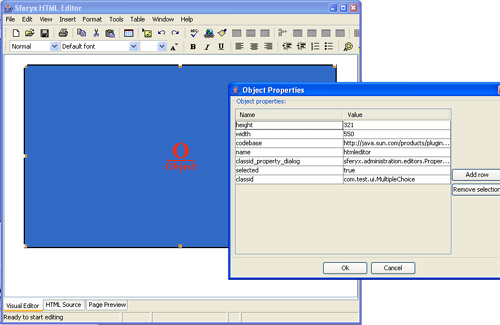 |
New Custom rendering and support for custom property dialogs for objects - now can be easily specified custom rendering options and property dialogs for custom objects.All object attributes can be edited using your own property dialogs. |
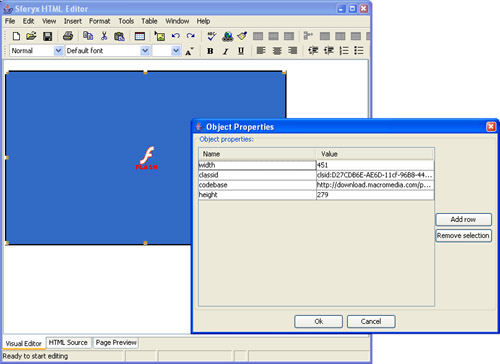 |
New Editing support for flash movies - now java applets will be displayed for editing. You can easily set the different object attributes. |
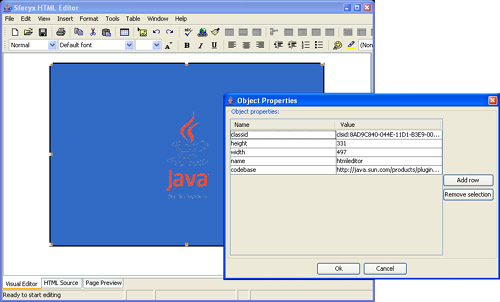 |
New Editing support for java applets - now java applets will be displayed for editing. You can easily set the different applet attributes. |
 |
New Reveal paragraphs - new toolbar button allows paragraphs to be revealed for easier editing of documents.. |
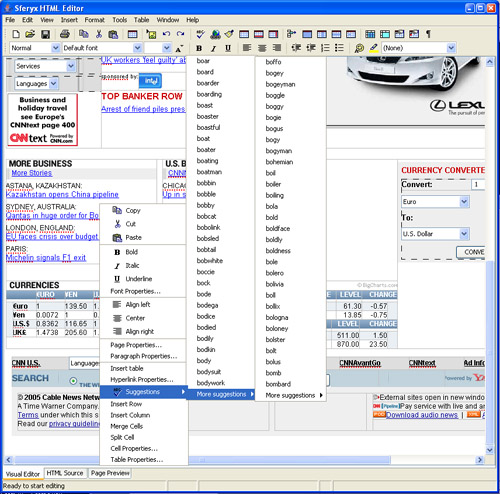 |
New As-you-type spellchecker - now the spellchecking is performed when you type.Various suggestion options are presented to the user. Now loading of external dictionaries is implemented in a separate thread so it does not slow the applet loading and the spellcheck starts immediately when the dictionary is loaded and ready. |
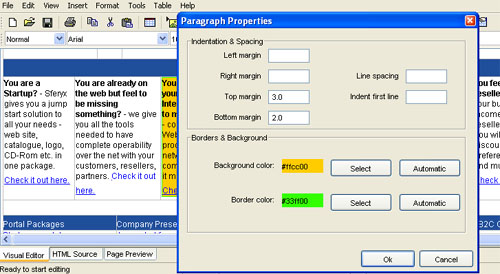 |
New Paragraph properties dialog - now is possible to change the paragraph properties easily through the new intuitive Paragraph properties dialog. You can set background color, border color, top, left, right, bottom margins and also line spacing and first line indenting. |
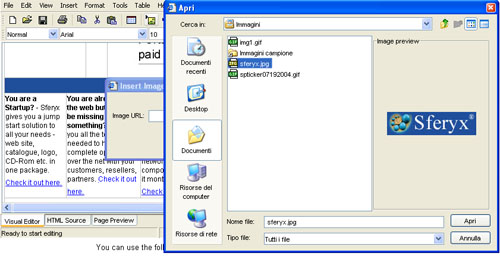 |
New Image preview - for local file browsing is possible to preview the images before inserting them. |
 |
New Automatic hyperlinking as you type - e-mail addresses and URLs will be hyperlinked automatically as you type. |
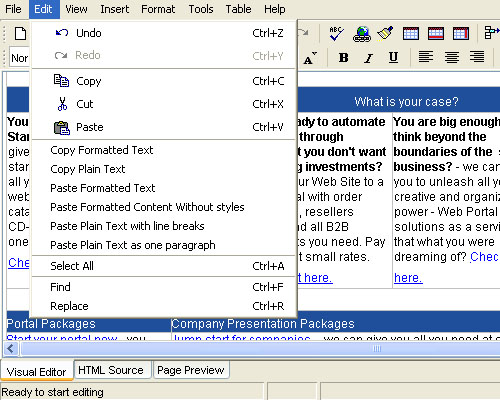 |
New Numerous copy and paste options to choose from - to satisfy the needs of different appliances, have been introduced a wide number of copy and paste options in order to allow the right content to be used and rendered. |
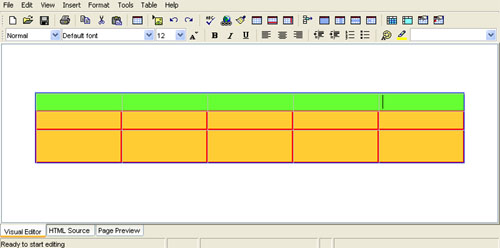 |
New Table and cell border colors - now all users can easily select different border colors for tables and table cells. Each cell can have its own border and table border can be chosen as well. |
 |
New Improved internationalization support - Cyrillic- now different character sets are rendered properly. Enhanced Cyrillic support. |
 |
New Improved internationalization support - Arabic - now different character sets are rendered properly. Enhanced Arabic support. Full support for right-to-left writing and rendering. |
 |
New Improved internationalization support Chinese, Japanese and Korean - now different character sets are rendered properly. Enhanced Chinese, Japanese and Korean support. |
 |
New Improved Visual resizing of images- now is possible to resize images simply by dragging them. Now you can easily adjust the size of the picture directly inside the document - viewing immediately the results. The document structure is updated in real time the reflect the changes immediately. |
 |
New Improved Visual resizing of table rows - now is possible to resize table rows and columns simply by dragging them. Now you can easily adjust the height of the table rows directly inside the document - viewing immediately the results. The document structure is updated in real time the reflect the changes immediately. A ruler is shown while dragging to represent the exact resize of the table rows. |
 |
Visual resizing of table columns - now is possible to resize table rows and columns simply by dragging them. Now you can easily adjust the width of the table columns directly inside the document - viewing immediately the results. The document structure is updated in real time the reflect the changes immediately. A ruler is shown while dragging to represent the exact resize of the table columns. |
 |
Easy table columns selection - now rows and columns can be selected from the borders of the table. Now you can easily select table columns and rows with a single click when the respective cursor is shown. You can adjust all properties of the selection using the popup menu or the shortcut toolbar buttons. |
 |
Easy table row selection - now rows and columns can be selected from the borders of the table. Now you can easily select table columns and rows with a single click when the respective cursor is shown. You can adjust all properties of the selection using the popup menu or the shortcut toolbar buttons. |
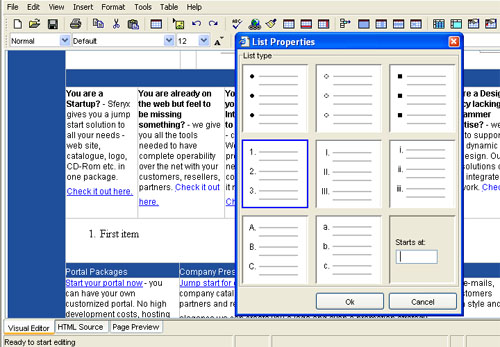 |
List properties - now on the context menu appear also list properties when ordered/unordered list is detected. You can choose from roman numbers, various type of bullets, letters etc. You can also select the starting point of your lists. |
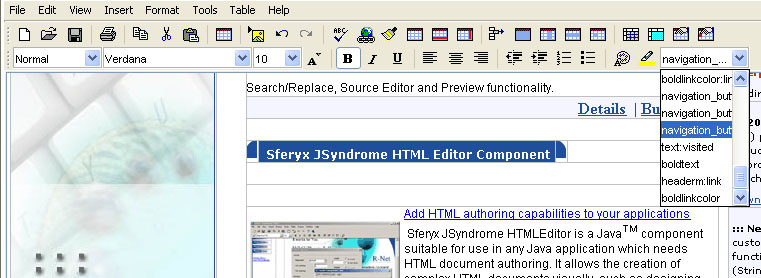 |
Quick Style - toolbar combo box for quick style application |
|
Table properties toolbar buttons - all table related functionalities now are exported as toolbar buttons |
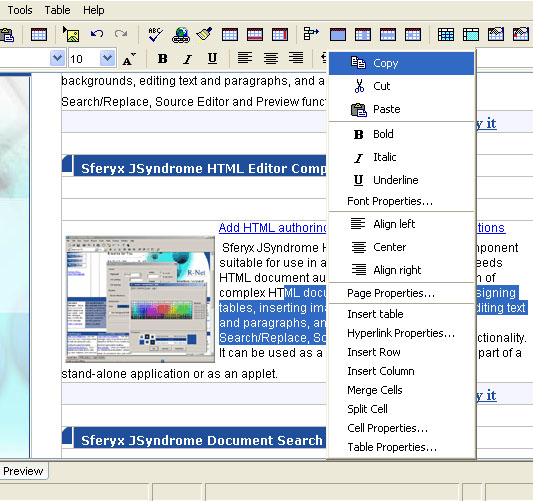
New features from 4.5 update
- New Improved style sheet loading for the Component Edition through the loadExternalStyleSheet.
-
New Improved compatibility with FarEast char sets and internationalization support. This update includes examples for rendering of Chinese fonts and pages on Western workstations without the need to load fonts explicitly before the startup such as renaming the font.properties file etc. Please
refer to the ChineseRenderingExample.java in the examples folder. - New Bookmarks Property Dialog. Now is possible to insert your own bookmarks inside the text and after that insert references to them through the hyperlinks. This is available through the Menu --> Insert--> Insert Bookmark
- New Source Editor now renders properly the Chinese chars if the correct Chinese font is set up. Please refer to the ChineseRenderingExample.java in the examples folder.
- New Table border color - now is possible to set the table border color separately from the table cells.
-
New Table cell border color - now is possible to set the border color of each
cell separately using the appropriate style attributes. - New Paste formatted text menu item now is associated with the new HTMLFilter class in order to provide filtering of the pasted content. In this release is implemented basic filtering mechanism where are filtered all layout tags such as tables, head, body etc. in order to leave basically formatted text. Future implementation will provide a way to parameterize the filtering process.
- New Various fixes and improvements over the XHTML generation.
- New Automatic hyperlinking of URLs and e-mails while typing
- New Improved image resize features
- New Image preview in browse dialogs
- New Extended paste features - paste special functionalities Memory leaks fixes
- New Javascript call mechanism updated in order to workaround IE issues.
- New JRE 5.0 CSS compatibility issues resolved
- New TAB key assignments moved to JS function calls. Please refer to the transferFocusOnTAB parameter.
- New Component Edition Enterprise transparency features introduced
- New Improved internationalization support
- New Fixes over save remote and variable formats
- New Updated quick style sheet combo in order to load style classes properly on startup
- New Enhanced Cyrillic support
- New Possibility to save entire pages to a folder and include all linked objects in it
- New Javascript function focus()
- New Parameter defaultCharset
- New Parameter forceInternalJSExecution
- New Parameter generateUniqueImageFilenames
- New Parameter transferFocusOnTAB
- New Possibility to treat font sizes as points
- New Improved bullets/numbering lists handling
- New Paragraph properties dialog
- New Support for line spacing, paragraph margins
- New First line indentation implemented
Features inherited from 4.0 update
- Visual resizing of images - now is possible to resize images simply by dragging them.
- Visual resizing of table rows - now is possible to resize table rows and columns simply by dragging them.
- Visual resizing of table columns - now is possible to resize table rows and columns simply by dragging them.
- Easy table columns selection - now rows and columns can be selected from the borders of the table.
- Easy table row selection - now rows and columns can be selected from the borders of the table.
- List properties dialog - now on the context menu appear also list properties when ordered/unordered list is detected
- Quick style toolbar combobox for quick style application
- Table toolbar buttons - all table related functionalities now are exported as toolbar buttons
- Improved ordered /unordered list handling - now the toolbar buttons keep track of whether there is a list or not. Subsequent pressing of the toolbar button interrupts the list as most of the word processing apps do.
- Improved overall stylesheet rendering
-
Improved paste handler - now new paragraph should not be generated any more. When text is pasted is should remain on the same line without
generating new paragraphs any more. - Span sections with styles are rendered properly
- Possibility to create nested oredered/unordered lists using increase indent toobar button.
- Improved drag & drop operations - now is indicated the drop position and the drag & drop is much more accurate.
- Fixed the issue with the onclick handlers when using the Image Properties and Hyperlink properties dialogs.
- Parameter for disabling code indenting causing empty spaces and new lines which disturb rendering in IE: disableIndentingAndLineBreaks=true
- Improved performance when switching to source view for large documents
- Upload Multipart content functionalities modified in order to be fully compatible with PHP and ASP server side scripts and now the posted content is easily accessible by PHP's files variable.
- Span sections are now generated correctly.
- Parameter : remoteFileDialogWidth - see applet parameters for details
- Parameter : remoteFileDialogHeight - see applet parameters for details
- Parameter : remoteFileDialogResizable - see applet parameters for details
- Parameter : disableIndentingAndLineBreaks - see applet parameters for details
- Parameter : preserveComments - see applet parameters for details
- Parameter : popupMenuVisible - see applet parameters for details
- Parameter : useSaveAsSaveRemote - see applet parameters for details
-
Parameter : saveEntireFile - see applet parameters for details
Features inherited from previous updates
- Full internationalization support. Now the entire editor interface can be translated in any language. See loadInterfaceLanguageFile
- Image alignment and text wrapping - can be enabled/disabled for backward compatibility
- Internal Drag & Drop operations. Move with drag & drop, copy with Ctrl+Drag & Drop
- Source code mode only operation - Enterprise Edition
- Possibility to change the font rendering size in order to help people with visual impairments - see fontRenderingZoomLevel parameter for details
- Powerful HTML filter for cleanup of pasted MS Word content - the newly pasted content is rendered almost equally to Word with standard HTML tags see smartWordContentHanldingEnabled parameter for details
- Support for inline CSS declaration - can be enabled/disabled see forceInlineCSSGeneration for details
- Possibility to show only the body content in the source editor instead of entire document showBodyContentOnlyInSource
- Now stylesheets defined through <style> tags can be placed anywhere in the document.
- Popup menu for the source editor for easy cut/copy/paste operations
- Instant hypelink/font size/foreground applying to the current word even without selection.
- Improved overall Mac integration.
- Improved layout and rendering
- Now javascript buttons can be added through applet parameters.
- geSelectedContent() javascript function
- Improved handling of unknown/XML tags
- Now the initial content can be set as initialURLEncodedContent in order to avoid interferences with javascripts and html tags. This way even very complex pages can be set through server-side scripts directly as applet parameter. See initialURLEncodedContent parameter
- Automatic upload of all local images and objects to the server as multipart form encoded content. All images, hyperlink targets - documents, images pages, table/cell/page backgrounds etc. will be uploaded automatically if desired to the server as multipart/form-data. All images pasted from MS Word, Excel etc. will be uploaded to the server. Automatic conversion of the image and hyperlink URLs before uploading to the server in order to be resolved correctly.
- Copy formatting brush tool available - now it is easier to copy formatting of the text.
- Headings combo box for setting the heading style of the text
- Full backward compatibility with java 1.3 - full support for all browsers on Mac OS X. See the updated Compatibility section.
- Full support for java-javascript communication on platforms where missing through Sferyx LiveConnectProxy
- Mixed mode file browsing - now is possible to use simultaneously local and remote file browsing
- Improved remote browsing - possibility to specify the text of the remote links/objects to be displayed
- Improved layout and document rendering
- Possibility to specify reduced font lists through the applet parameters
- Possibility to specify font sizes through applet parameters.
- Possibility to integrate custom objects inside the documents and custom property dialogs (Enterprise Edition)
- Possibility to specify font sizes through applet parameters.
- Possibility to specify the initial content as URLEncoded applet parameter - this way setting of the initial content is much easier and do not require any javascript etc.
- Full support for multiple instances of the editor on the same page.
- Now is possible to add custom javascript buttons on the toolbars - buttons which invoke custom javascript functions from the document.
- Two different remote browse location parameters for hyperlinks and images, new parameter remoteLinksBrowseLocation
- Improved table handling support
- Entirely renewed copy & paste handler
- Improved image selection - cut, copy, paste, attributes
- Keyboard shortcuts for the most used actions such as bold, italic etc.
- Improved ordered/unordered lists management
- Possibility to wrap the line breaks into paragraphs or html line breaks
- Improved paragraph alignment features
- Improved paragraph indenting
- Full style sheet editing support - style classes can be applied through the property dialogs to each element - font, tables, images, all form elements etc.
- Ability to specify external style sheet to be loaded through applet parameters
- Spellchecker component
- Replaceable dictionary functionality for the spellchecker
- Custom dictionary functionality (add new words to dictionary) for each user
- Possibility to mark sections/elements of the document as readonly and not editable
- Optional built-in full featured Visual FTP component